
If you’ve ever typed something personal into ChatGPT — a health question, a work problem, or details about someone you know — it’s natural to wonder where that information actually goes. OpenAI’s privacy policy isn’t exactly light reading, and most people don’t have time to dig through legal language just to figure out what happens to their conversations.
The reality is that ChatGPT does collect and process user data, and how it’s handled is more layered than most people expect. This article breaks down what gets collected, how long your conversations are stored, and what OpenAI actually does with all of it — so you can make informed decisions about what you share.
What Data Does ChatGPT Collect From Users?

ChatGPT collects more than just your chat messages. When you create an account OpenAI gathers basic personal information — your email address, name, and in some cases a phone number for verification. If you sign up through a Google or Apple account, some of that profile data gets pulled in as part of the login process.
On top of account details, technical data is collected in the background during every session. This includes your IP address, browser type, device information, and behavioral signals like which features you use and how long you stay on the platform. That kind of usage data is fairly standard across web services, but it’s worth knowing it’s happening.
Your actual prompts and responses are collected too — and this is the part most people care about. Every message you type into ChatGPT is logged by default. That includes follow-up questions, the context you provide, and any personal details you mention while asking for help with something. People often forget this when they’re asking ChatGPT to help draft a sensitive email or work through a personal situation.
If you’re on a paid plan like ChatGPT Plus, payment information is also processed during signup. OpenAI uses third-party payment processors for this, so your card details aren’t stored directly on their servers — but the transaction records are still tied to your account.
One detail that catches people off guard: even if you’re not logged in, some data is still collected. Cookies and browser-level tracking mean that OpenAI receives certain technical information about your session whether or not you have an account.
Does ChatGPT Store Your Conversations?

By default, yes. ChatGPT saves your conversation history, and you can see this reflected in the sidebar where past chats are listed. This feature is enabled out of the box, and many users don’t realize they’ve been building up a searchable log of everything they’ve asked.
OpenAI’s privacy documentation states that conversation data may be retained for a period of time even after you delete a chat from your account. Deleting a conversation removes it from your visible history, but it doesn’t immediately erase it from OpenAI’s systems. The retention window is typically around 30 days, though this can vary depending on how the data is being used internally.
There is an opt-out option. In your ChatGPT settings, you can turn off chat history. When this is disabled, conversations aren’t saved to your account and aren’t used for model training purposes. OpenAI refers to these as temporary chats — the data is still processed to generate your response during that session, but it’s not retained long-term in the same way a regular saved conversation would be.
The rules are different for business and API users. Companies that access ChatGPT through OpenAI’s API don’t have their data used for model training by default. This is one reason some organizations prefer the API over the standard consumer product — it gives them more control over how their data is handled.
It’s also worth mentioning ChatGPT’s memory feature separately. When memory is turned on, the model stores specific details about you across multiple conversations — your preferences, your projects, things you’ve mentioned before. This is different from chat history and operates as its own layer of data storage that you can manage independently.
How Does OpenAI Use the Data Collected by ChatGPT?

OpenAI uses your data for a few different purposes, and not all of them are obvious from a quick read of their terms.
The most talked-about use is model training. When chat history is enabled, your conversations can be reviewed and used to improve future versions of the model. OpenAI’s team doesn’t read every message manually, but human reviewers do examine a sample of conversations to evaluate quality and identify safety issues. This is part of how ChatGPT keeps getting updated and refined over time.
Data is also used for running and maintaining the platform — debugging issues, monitoring performance, and understanding how the product is being used. This is operational, not training-related, but it still involves processing your activity.
Safety and policy enforcement is another use. OpenAI reviews conversations that appear to violate their usage policies, which covers things like attempts to generate harmful content or misuse the system. This monitoring exists alongside automated filters and is part of how they enforce their terms of service.
A common question is whether OpenAI sells user data to third parties. According to their privacy policy, they don’t sell personal data. They do, however, share certain information with service providers — hosting infrastructure, analytics tools, payment processors — that help keep the platform running. These partners operate under data processing agreements, but they do receive access to some information as part of that relationship.
If you’re based in Europe or another region covered by data protection laws like GDPR, you have additional rights around your data — including the ability to request access, correction, or deletion of the personal information OpenAI holds about you.
Can ChatGPT Conversations Be Reviewed by Humans?
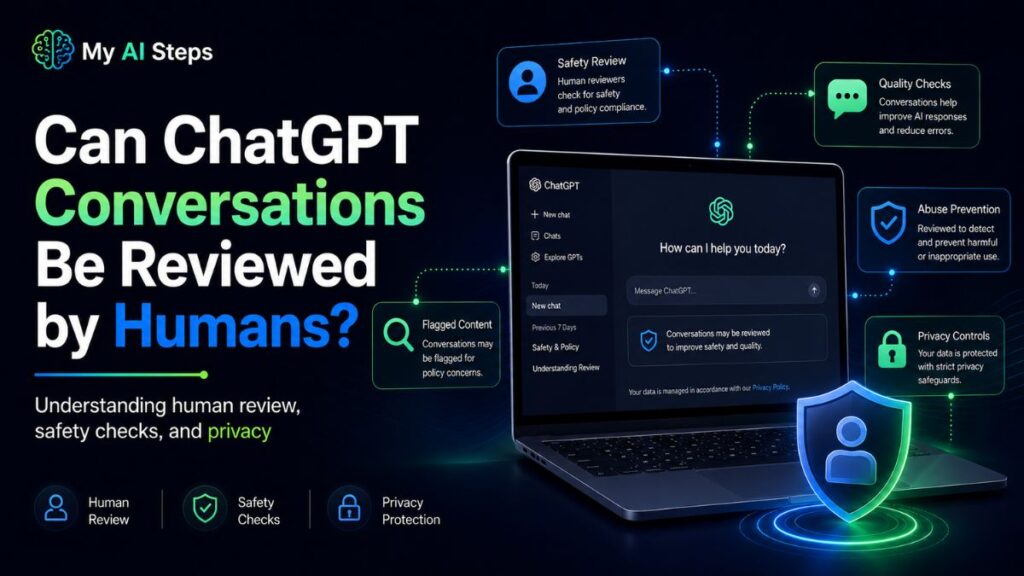
Yes — and this surprises a lot of people who assume their chats are only seen by an AI. OpenAI does use human reviewers as part of how it trains and refines its models. This process is often called data annotation or human feedback evaluation, and it’s a standard practice in building large language models, not something unique to ChatGPT.
Not every conversation gets reviewed. OpenAI looks at a sample of chats, not the full volume of messages sent every day. That said, certain situations increase the chance of manual review — particularly if a conversation involves a potential safety concern or appears to violate usage policies.
The reviewers aren’t always full-time OpenAI employees either. Third-party annotation contractors, working through partner companies, are commonly used in this industry to handle large-scale review work. These contractors are typically bound by confidentiality agreements, but they do have access to actual conversation content. OpenAI has acknowledged this practice publicly.
Turning off chat history does reduce your exposure here. Conversations flagged as temporary aren’t included in the same annotation and training pipelines as regular saved chats. They’re still processed to generate your response in real time, but they don’t feed back into review workflows the same way.
The practical point is straightforward: ChatGPT isn’t a private communication channel. Anything you’d hesitate to write in a shared work document probably shouldn’t go into a chat window either.
Does ChatGPT Share Your Data With Third Parties?
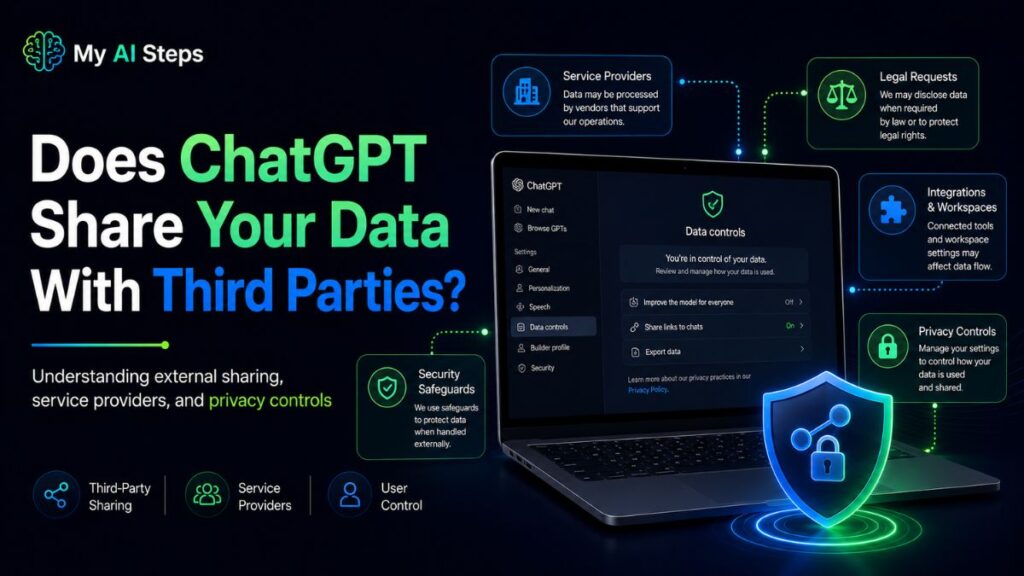
OpenAI doesn’t sell user data — that distinction is clearly stated in their privacy policy and it matters. But selling and sharing are two different things, and data does get shared in several specific situations.
The clearest case is operational service providers. OpenAI works with third-party companies for cloud infrastructure, payment processing, analytics, and customer support. These vendors receive some user data as part of delivering those services. Microsoft, which has a major investment in OpenAI and provides computing resources through Azure, sits within that infrastructure layer.
Law enforcement is another category. Like most US-based technology companies, OpenAI may disclose user information when they receive a legally valid request — a court order, subpoena, or government inquiry. They state they’ll try to notify affected users when legally permitted, but there’s no guarantee that happens in every case.
Business transitions are worth knowing about too. If OpenAI undergoes a merger, acquisition, or asset sale, user data could transfer to a new entity as part of that deal. This is standard language across most tech company privacy policies, but it’s relevant when thinking about long-term data exposure.
None of this makes ChatGPT unusual — most platforms you use every day share data with service providers in similar ways. But it does mean your information touches more systems than just OpenAI’s servers, and that’s useful to understand before sharing anything sensitive.
How to Stop ChatGPT From Using Your Chats for Training
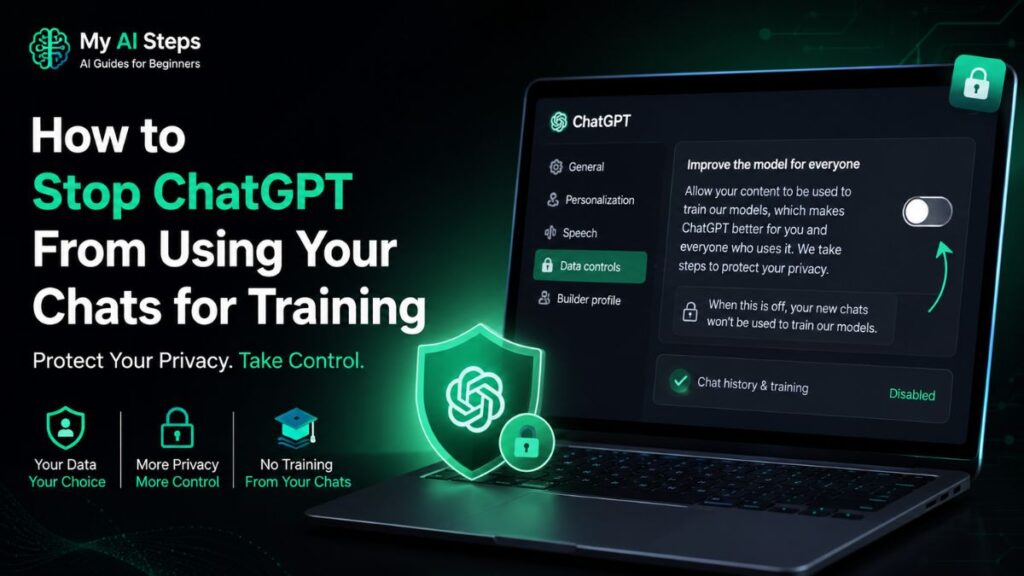
There are a few concrete steps you can take, and none of them require technical knowledge.
The most direct option is turning off chat history in your settings. Open ChatGPT, go to your account settings, and look for the Data Controls section. Disabling chat history means new conversations won’t be saved to your account and won’t be used for model training. For most users, this is the simplest and most immediate change to make.
If you want to go a step further, OpenAI provides a data opt-out request through their privacy portal. Submitting this asks OpenAI not to use your information for training purposes — it applies even to data that may have been collected before you made the change. It’s a separate step from the in-app setting, and worth doing if you have concerns about historical conversations.
You can also delete existing chat history manually. Individual conversations can be removed one at a time, or you can clear everything at once from your settings. Keep in mind that deleting from your account doesn’t mean the data vanishes from OpenAI’s servers immediately — there’s typically a short retention period after deletion before it’s fully removed.
If you’re accessing ChatGPT through a business plan — Team or Enterprise — the data handling defaults are already different. Those tiers generally exclude conversation data from training use, so check with whoever manages your organization’s account before making changes manually.
One thing these controls don’t change: OpenAI still processes your messages in real time to generate a response. That’s unavoidable — it’s how the tool works. What you’re limiting is what happens to your data after that exchange takes place.
Is It Safe to Share Personal Information With ChatGPT?
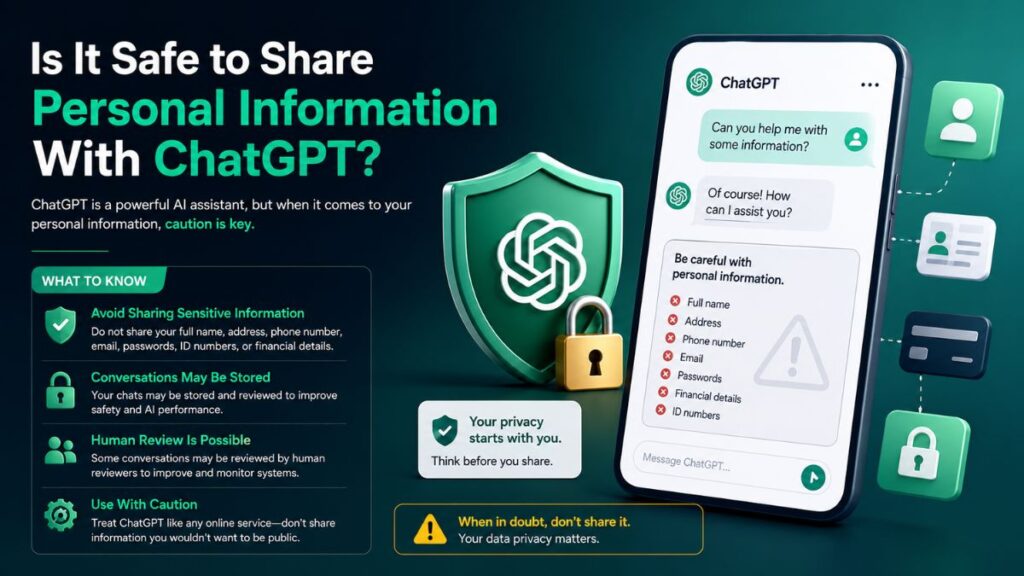
It depends on what you’re sharing and why. For general tasks — summarizing an article, drafting a template, working through a logic problem — the practical risk is low. The concern comes in when a conversation involves genuinely sensitive details.
Avoid putting things like passwords, social security numbers, financial account numbers, or detailed medical records into ChatGPT. Not because something will necessarily go wrong, but because that information enters a system involving storage, human review samples, and third-party infrastructure. Once it’s in, your control over it is limited.
A simple mental model: treat ChatGPT more like a web form than a private conversation. You wouldn’t type your banking credentials into an unfamiliar website. The same logic applies here.
One mistake people make regularly is over-sharing context when asking for help with something personal. In most cases, you can anonymize the details and still get useful output. If you’re asking ChatGPT to help write a difficult message to a colleague, you don’t need to include their real name, your company, or identifying specifics — a placeholder works just as well.
ChatGPT doesn’t use end-to-end encryption. The data is accessible to OpenAI’s systems at multiple points during processing and storage. For everyday tasks, that’s generally fine. But for anything genuinely confidential — legal matters, medical decisions, financial records — it’s worth pausing before you send.
What Happens When You Delete Your ChatGPT Chats?
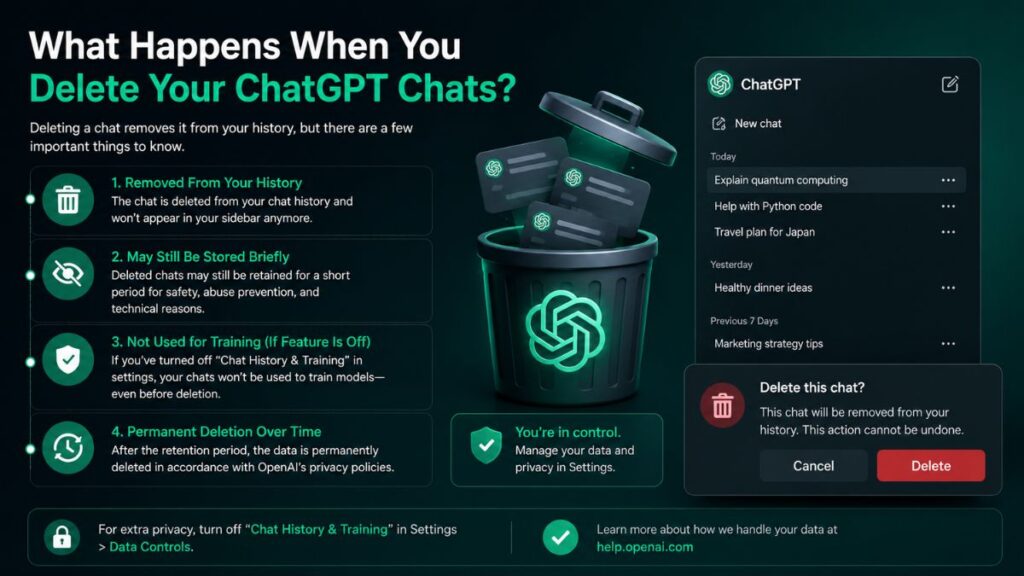
A lot of people assume that hitting “delete” on a ChatGPT conversation wipes it out instantly, like deleting a text message. That’s not quite how it works.
When you delete a chat from your history, it disappears from your account right away. You won’t see it in the sidebar, and you can’t recover it through the app, the API, or even by contacting support. But behind the scenes, OpenAI’s systems don’t erase it on the spot. The deleted chat is scheduled for permanent removal from their servers, and that process can take up to 30 days. During that short window, the data still technically exists, just not where you can access it.
There are a couple of exceptions worth knowing about. If a conversation has already been separated from your account details (de-identified) for safety review or research purposes, deleting it from your history doesn’t undo that earlier step. And if OpenAI is under a legal obligation to hold onto certain data, such as during litigation, deletion gets delayed until that obligation is lifted. This actually happened in 2025, when a court order in an ongoing copyright case temporarily required OpenAI to preserve chat logs that would normally have been deleted. OpenAI pushed back on that order and has since returned to its standard 30-day deletion practice for most users, though some historical data tied to that specific case is still being held separately for legal reasons.
One more thing people often miss: deleting a chat doesn’t automatically clear anything saved through ChatGPT’s Memory feature. If the assistant picked up details about you during that conversation and stored them as a memory, those details stick around until you manually clear them from Settings. Files you uploaded follow a similar pattern, they’re usually tied to the conversation’s lifecycle, but if a file was saved to your Library separately, deleting the chat won’t touch it.
If you want something closer to “no trace left behind,” Temporary Chat mode is the better option. Conversations started this way aren’t used to train models and get automatically removed from OpenAI’s systems within 30 days, without you needing to do anything.
Tips to Protect Your Privacy While Using ChatGPT
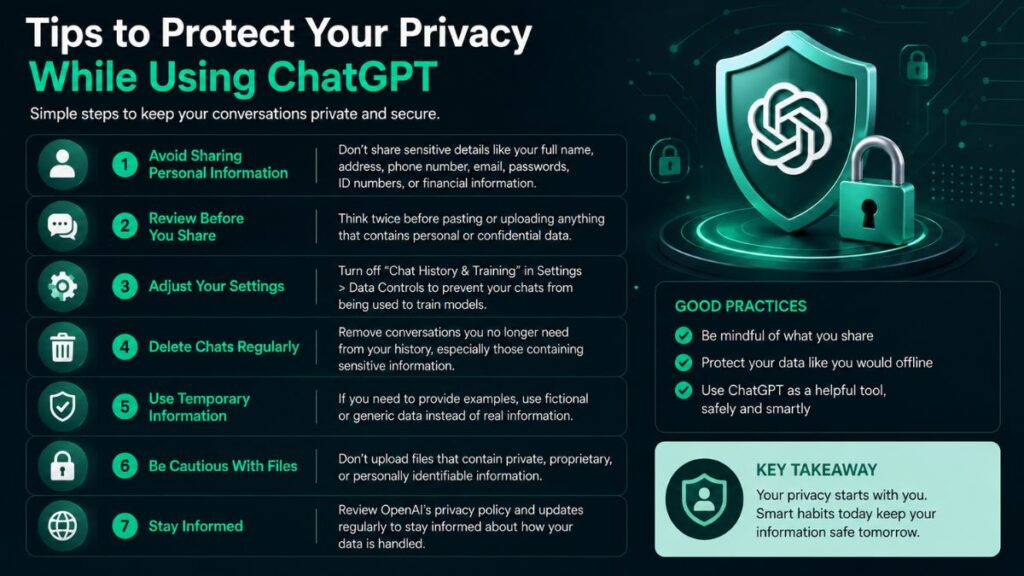
You don’t need to be a security expert to use ChatGPT more privately. A few small habits go a long way.
Start with the model training setting. In your Data Controls, there’s an option often labeled something like “Improve the model for everyone.” Turning this off means your new conversations generally won’t be used to train future versions of the model. It’s worth doing this before you share anything personal, not after, since flipping the switch later doesn’t retroactively pull back conversations that already happened.
Use Temporary Chat for anything sensitive. If you’re asking about a medical symptom, drafting something work-related under an NDA, or just typing out something you’d rather not have sitting in your history forever, switch to Temporary Chat first.
Be deliberate about what you type in the first place. ChatGPT doesn’t need your full name, address, account numbers, or passwords to help you write an email or debug code. Swap real details for placeholders when you can, like using “Company X” instead of your actual employer’s name.
Check your connected apps occasionally. If you’ve linked Google Drive, Gmail, or Calendar, ChatGPT can pull in data from those services to answer questions. Disconnecting an app stops future access, but it won’t erase past conversations that already used that data, so review what’s connected every so often and delete chats tied to sensitive integrations if needed.
Clear stored memories periodically, especially if you’ve had ChatGPT remember personal preferences, routines, or details about your life. And if you’re using ChatGPT for business purposes, look into whether your plan offers Zero Data Retention or enterprise-level controls, since those come with stricter, contractually-backed privacy terms than the free or Plus consumer plans.
Common Myths About ChatGPT Data Sharing
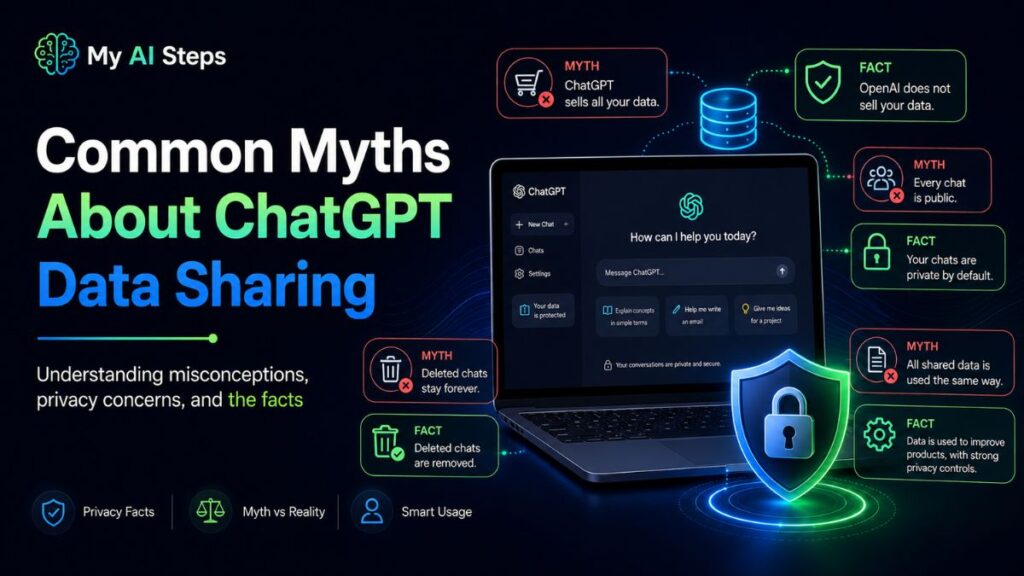
A surprising amount of confusion floats around about what OpenAI actually does with your conversations. Here are a few myths worth clearing up.
ChatGPT sells your chats to advertisers
There’s no evidence supporting this, and OpenAI’s consumer product isn’t built around an advertising model the way social media platforms are. Data may be used to improve the model itself, but that’s different from selling personal information to third-party marketers.
Deleting a chat removes it from existence immediately
As covered above, deletion starts a removal process rather than instantly scrubbing every system. It’s a meaningful distinction, especially if you’re dealing with something time-sensitive or legally relevant.
OpenAI employees are reading your conversations one by one
Human review does happen in limited cases, usually tied to safety investigations or flagged content, but the vast majority of conversations are processed automatically and aren’t manually read by staff.
Other users can see your chats
Your conversations stay tied to your account and aren’t shared with other ChatGPT users. Mixing this up with “the model learned from data” is a common but incorrect leap, training on aggregated patterns isn’t the same as someone browsing your personal chat log.
Business and API data always gets used for training
For business customers, training on customer data isn’t the default, and API users on standard or Zero Data Retention plans get even stronger guarantees that their inputs and outputs aren’t logged for that purpose.
Knowing the difference between what’s actually documented policy and what’s just internet speculation makes it a lot easier to use ChatGPT with realistic expectations instead of either blind trust or unnecessary panic.
ChatGPT’s data practices aren’t as mysterious once you separate what’s confirmed policy from what’s assumption. Deletion isn’t instant, memory works separately from chat history, and most of the scarier rumors about data sharing don’t hold up against OpenAI’s actual documentation. Treating your conversations with a bit of caution, especially around sensitive topics, is just good practice regardless of which AI tool you’re using.
The real takeaway is that privacy with ChatGPT comes down to your own settings and habits as much as OpenAI’s policies. Turn off what you don’t need, use Temporary Chat when it matters, and you’ll already be ahead of most users.
Conclusion
ChatGPT can collect and store certain user data, but it also provides privacy controls that help users manage their information. Understanding how your data is used is essential for protecting your privacy while using AI tools. Users should avoid sharing sensitive personal details in conversations whenever possible. Reviewing privacy settings regularly can further improve security. By using ChatGPT responsibly, you can enjoy its benefits while keeping your information safer.
Ultimately, whether ChatGPT shares your data depends on how the service is used and the settings you choose. Staying informed about privacy policies and following best practices will help you use ChatGPT with greater confidence and security.
Frequently Asked Questions
Does deleting a ChatGPT chat remove it instantly?
No, it disappears from your view right away but stays on OpenAI’s servers for up to 30 days before full removal.
Can OpenAI employees read my ChatGPT conversations?
Rarely, and usually only during flagged safety reviews, not routine manual browsing.
Does ChatGPT use my chats to train its models?
By default for consumer accounts yes, unless you turn this off in Data Controls; business accounts are typically excluded by default.
Is Temporary Chat completely private?
It’s not used for training and is deleted within 30 days, though it still briefly exists on OpenAI’s systems during that window.
Does deleting a chat also delete my uploaded files?
Usually yes if the file was tied to that conversation, but files saved separately to your Library need to be deleted on their own.