
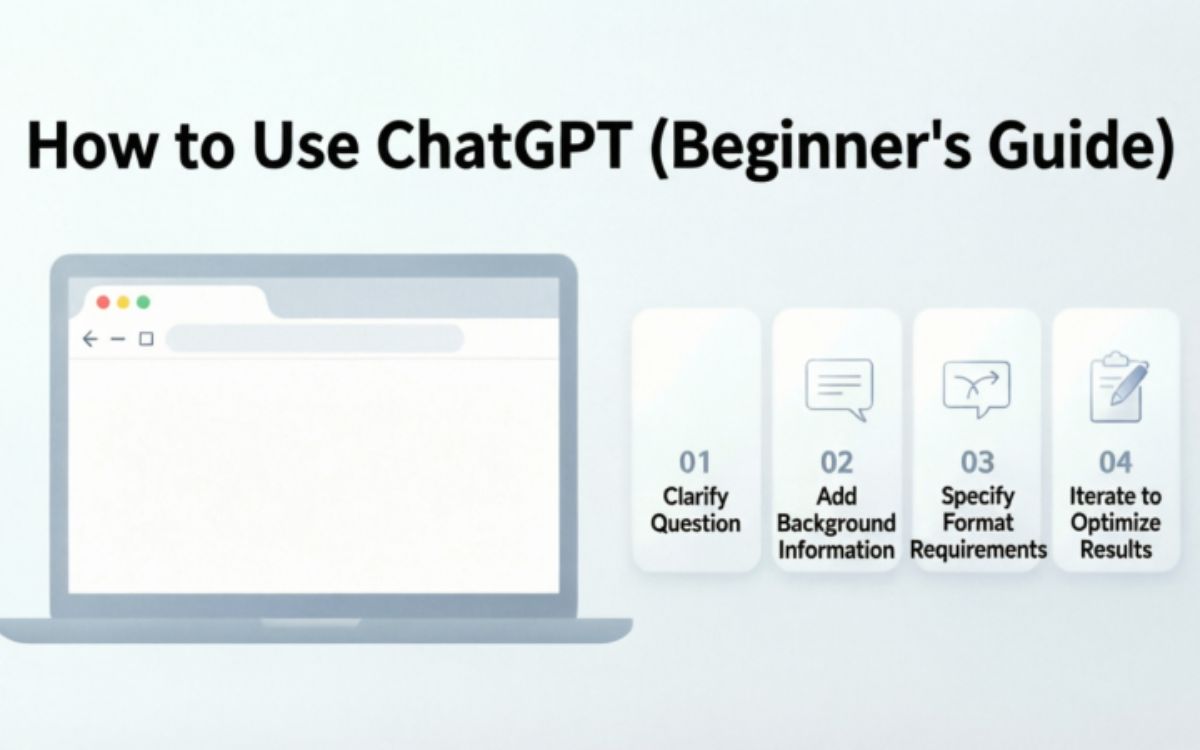
Artificial intelligence has become an important part of everyday life, and ChatGPT is one of the most popular AI tools available in 2026. Whether you are a student, freelancer, business owner, content creator, or simply someone curious about AI, ChatGPT can help you complete tasks faster and more efficiently. From answering questions and generating content to learning new skills and solving problems, it offers a wide range of practical uses.
For beginners, getting started with ChatGPT may seem overwhelming at first. However, learning how to use ChatGPT is much easier than many people think. With the right guidance, you can quickly understand how to ask effective questions, get better responses, and use AI to improve productivity in your daily life.
This beginner-friendly guide will explain how to use ChatGPT in 2026, covering the essential features, best practices, common mistakes to avoid, and practical tips that will help you get the most value from this powerful AI assistant.
What Is ChatGPT and How Does It Work?
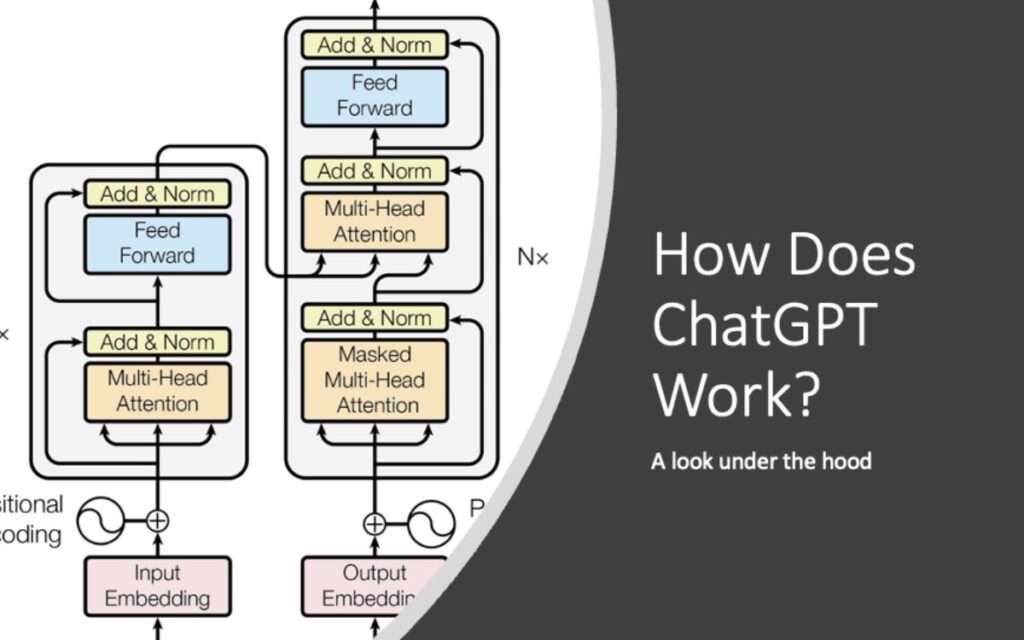
ChatGPT is an AI-powered chatbot designed to understand and respond to human language. It can answer questions, generate content, explain complex topics, and assist with many everyday tasks. In 2026, ChatGPT has become a popular tool for students, professionals, business owners, and content creators who want to save time and improve productivity.
The technology behind ChatGPT uses advanced machine learning models trained on large amounts of information. When you type a question or request, the AI analyzes your input and generates a relevant response within seconds. This allows users to have natural conversations and receive helpful information on a wide variety of topics.
One of the reasons ChatGPT is so popular among beginners is its ease of use. You do not need technical skills or programming knowledge to start using it. Simply type your question, and the AI will provide an answer that is easy to understand.
Learning how ChatGPT works can help beginners use the tool more effectively. The better your prompts and instructions are, the more accurate and useful the responses will be.
Creating Your First ChatGPT Account
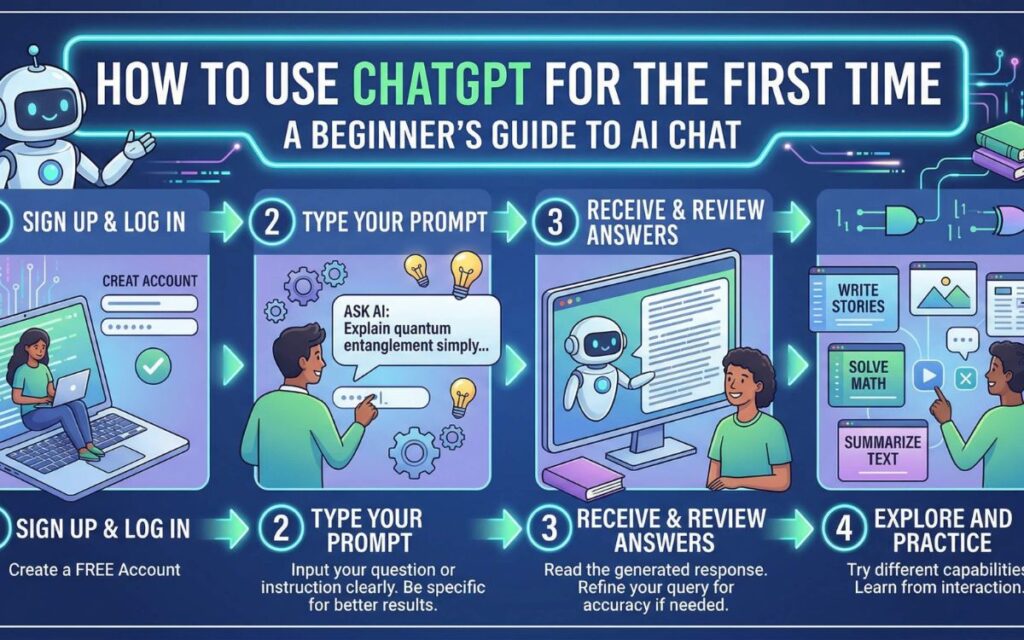
Before you can start using ChatGPT, you need to create an account. The registration process is simple and usually takes only a few minutes. Most users can sign up using an email address or existing accounts such as Google, Microsoft, or Apple.
After visiting the ChatGPT website, select the sign-up option and follow the instructions provided. You will be asked to enter your details and verify your email address. This verification step helps keep accounts secure and ensures that only authorized users can access them.
Once your account is verified, you can log in and access the ChatGPT dashboard. From there, you can start new conversations, manage settings, and explore the platform’s features. The interface is designed to be beginner-friendly, making navigation simple even for first-time users.
Creating an account is the first step toward unlocking the full potential of ChatGPT. With your account ready, you can begin learning how to interact with AI and make the most of its capabilities.
How to Start Your First Conversation with ChatGPT
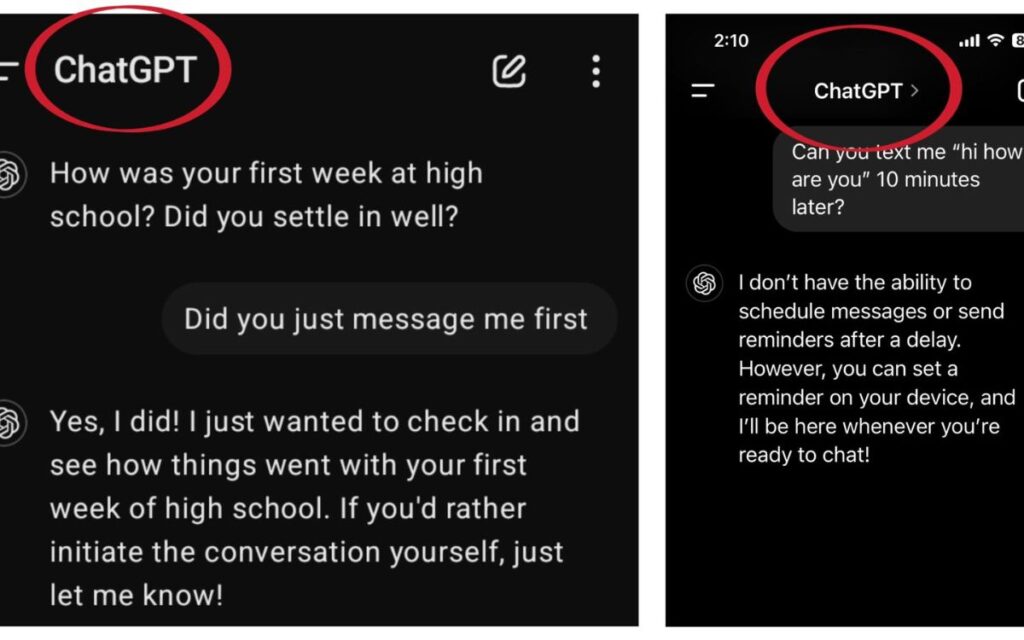
Starting a conversation with ChatGPT is easy. After logging in, you will see a chat box where you can type questions, instructions, or requests. The AI will analyze your input and provide a response within seconds.
For beginners, it is helpful to start with simple questions. You might ask for information on a topic, request writing assistance, or seek help with a problem you are trying to solve. As you become more comfortable, you can experiment with more detailed prompts and complex requests.
The quality of your results often depends on how clearly you communicate your needs. Specific questions generally produce better answers than vague requests. Including context and details can help ChatGPT understand exactly what you want.
With regular practice, you will learn how to structure prompts more effectively. This skill can significantly improve the quality of responses and help you get more value from the platform.
Best Ways to Use ChatGPT for Everyday Tasks
One of the biggest advantages of ChatGPT is its versatility. Beginners can use it for a wide range of everyday tasks, making it a valuable tool for both personal and professional use.
Students often use ChatGPT to understand difficult concepts, summarize information, and assist with assignments. Professionals may rely on it for drafting emails, creating reports, brainstorming ideas, and improving productivity. Content creators frequently use it for generating blog topics, outlines, and social media content.
ChatGPT can also help with daily activities such as planning schedules, organizing projects, learning new skills, and finding quick answers to common questions. Because it can adapt to many different situations, it becomes more useful as users discover new ways to integrate it into their routines.
By exploring different use cases, beginners can quickly learn how ChatGPT fits into their daily workflow. The more you use the platform, the easier it becomes to identify tasks where AI assistance can save time and effort.
How to Write Effective Prompts for Better Results
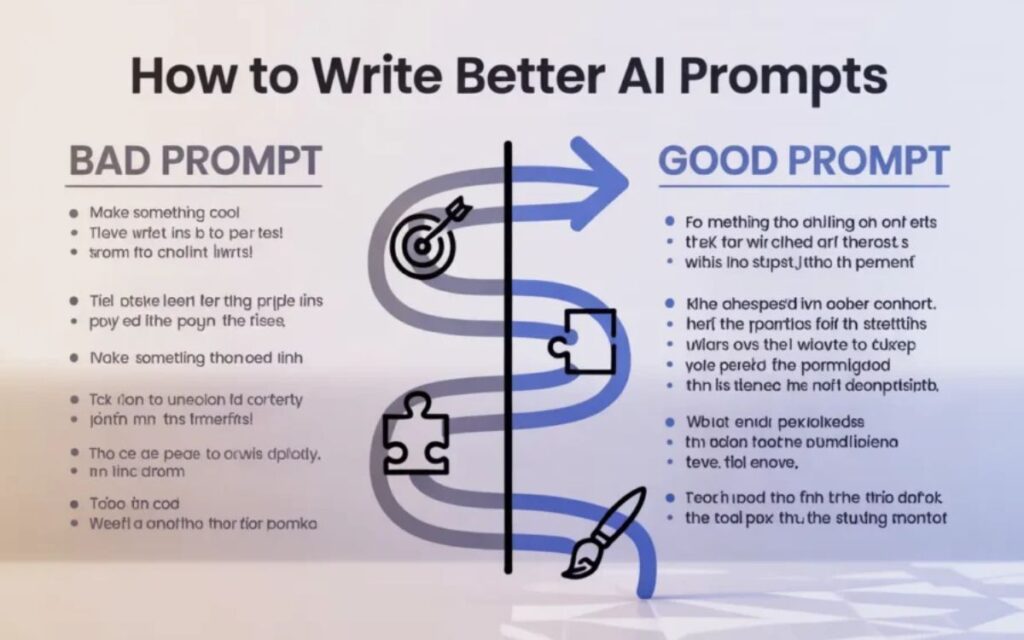
One of the most important skills for ChatGPT users is learning how to write effective prompts. A prompt is the instruction or question you give to the AI. The quality of your prompt directly affects the quality of the response you receive. Beginners often make the mistake of using very short or unclear prompts, which can lead to generic answers.
To get better results, be as specific as possible. Instead of asking, “Write an article,” you can say, “Write a 500-word beginner-friendly article about healthy eating.” Adding details such as tone, word count, target audience, and purpose helps ChatGPT understand your expectations.
It is also helpful to provide context when necessary. For example, if you need help with a school assignment or business project, explaining the situation can improve the accuracy of the response. The more relevant information you provide, the better the AI can assist you.
With practice, prompt writing becomes easier. Learning this skill will help beginners unlock the full potential of ChatGPT and consistently receive higher-quality answers.
Common Mistakes Beginners Should Avoid

While ChatGPT is easy to use, beginners often make a few common mistakes that reduce the quality of their results. Understanding these mistakes can help users save time and get more accurate responses from the start.
One frequent mistake is asking overly broad questions without providing enough details. For example, a request like “Help me with marketing” is less effective than a detailed prompt that explains the specific marketing challenge. Clear instructions lead to better outcomes.
Another mistake is assuming that ChatGPT is always correct. Although it is a powerful AI tool, users should verify important facts, especially when dealing with academic, financial, legal, or medical information. Cross-checking information helps ensure accuracy.
Many beginners also stop after receiving the first answer. In reality, ChatGPT works best as a conversational tool. Asking follow-up questions and requesting revisions can significantly improve the final result and provide more useful information.
Using ChatGPT for Learning and Education
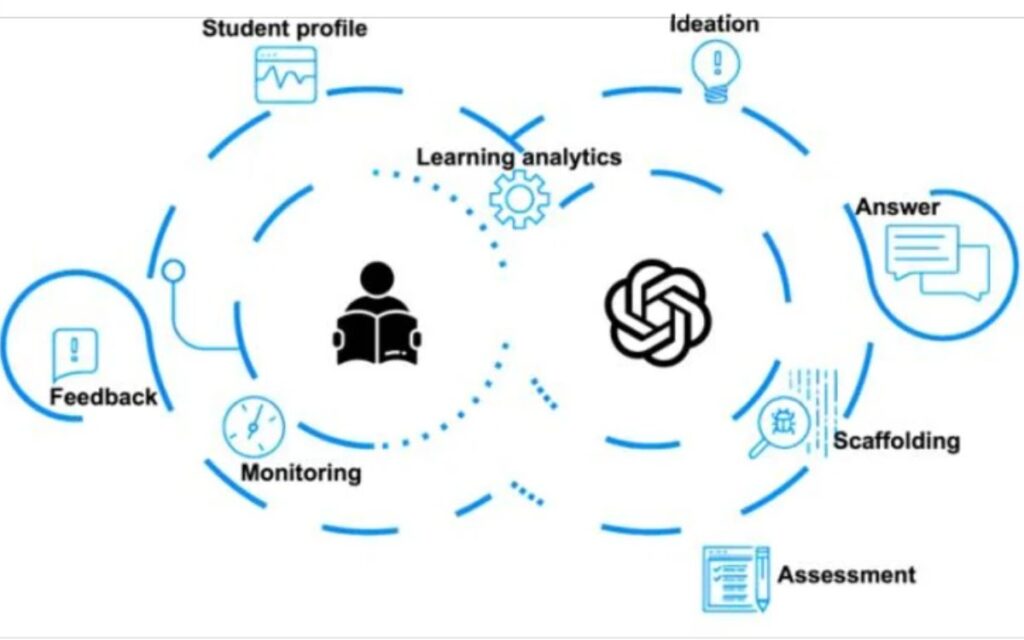
ChatGPT has become a valuable learning companion for students and self-learners around the world. It can explain difficult concepts, answer questions, and provide educational support across many different subjects.
For example, students can use ChatGPT to understand science topics, improve writing skills, learn mathematics concepts, or explore historical events. Instead of searching through multiple websites, users can receive clear explanations in a conversational format.
The platform can also assist with language learning. Beginners can practice grammar, expand vocabulary, and receive explanations for language-related questions. This makes ChatGPT useful for both formal education and personal development.
However, it is important to use ChatGPT as a learning aid rather than a replacement for independent study. Combining AI assistance with reliable educational resources can help learners develop a deeper understanding of any subject.
How ChatGPT Can Improve Productivity in Daily Life
One of the main reasons people use ChatGPT is to increase productivity. The AI can handle many routine tasks, allowing users to focus on more important work. For beginners, this can be an excellent way to save time and stay organized.
ChatGPT can help create to-do lists, draft emails, summarize long documents, generate ideas, and assist with planning projects. These capabilities make it useful for students, professionals, entrepreneurs, and freelancers alike.
The platform is also effective for brainstorming. Whether you need business ideas, content topics, marketing strategies, or creative inspiration, ChatGPT can quickly generate suggestions that help you move forward. This reduces the time spent staring at a blank screen and increases efficiency.
As users become more familiar with the platform, they often discover additional ways to integrate ChatGPT into their daily routines. Small productivity gains can add up over time, making the tool a valuable assistant for both work and personal tasks.
Safety and Privacy Tips When Using ChatGPT

As ChatGPT becomes a part of daily life for many users, understanding basic safety and privacy practices is essential. While the platform is designed to be helpful and user-friendly, beginners should still be careful about the information they share during conversations.
A good rule is to avoid entering sensitive personal details such as passwords, banking information, identification numbers, or other private data. Keeping personal information secure helps protect your privacy and reduces.
How to Use ChatGPT for Content Creation
Content creation is one of the most popular uses of ChatGPT in 2026. Whether you are a blogger, freelancer, student, marketer, or business owner, ChatGPT can help you create high-quality content more efficiently. Instead of spending hours brainstorming ideas, users can generate outlines, article topics, social media captions, and draft content within minutes.
For beginners, ChatGPT can be a valuable writing assistant. It can help structure articles, improve grammar, rewrite sentences, and suggest better wording. Many content creators use it to overcome writer’s block and speed up their workflow while maintaining creativity and quality.
However, it is important to remember that AI-generated content should always be reviewed and edited before publishing. Adding personal insights, fact-checking information, and refining the text can improve accuracy and originality. This approach helps create content that is more useful and engaging for readers.
As you gain experience, you will discover many ways to use ChatGPT throughout the content creation process. From planning and research to drafting and editing, the tool can save time and help beginners produce content more confidently.
Free vs Paid ChatGPT: Which Option Is Best for Beginners?
One of the first questions many new users ask is whether they should use the free version of ChatGPT or upgrade to a paid plan. The answer depends on individual needs, usage frequency, and the type of tasks you want to perform.
The free version is an excellent starting point for beginners. It allows users to explore the platform, learn how AI works, and complete many everyday tasks without any financial commitment. Students, casual users, and people who are new to AI often find that the free plan provides everything they need.
Paid plans typically offer additional benefits such as access to more advanced AI models, faster performance, priority access during busy periods, and enhanced features. These advantages can be especially useful for professionals, businesses, and content creators who rely on AI regularly.
For most beginners, starting with the free version is the best approach. Once you become familiar with the platform and understand how it fits into your workflow, you can decide whether upgrading to a paid plan would provide enough additional value to justify the cost.
Conclusion
Learning how to use ChatGPT for beginners in 2026 is easier than ever. With a simple account setup and a basic understanding of prompts, anyone can start using this powerful AI tool for learning, writing, research, productivity, and everyday problem-solving. Whether you are a student looking for study assistance, a professional seeking to improve efficiency, or a content creator searching for new ideas, ChatGPT offers practical solutions for a wide range of tasks.
The key to getting the best results is to practice regularly, ask clear questions, and experiment with different types of prompts. As you become more familiar with the platform, you will discover new ways to save time, improve your work, and enhance your daily activities. By following the tips and strategies shared in this guide, beginners can confidently start their AI journey and make the most of ChatGPT in 2026 and beyond.
Frequently Asked Questions
What is ChatGPT used for?
ChatGPT is used for writing, learning, research, brainstorming, and answering questions.
Is ChatGPT free for beginners?
Yes, beginners can start using ChatGPT with a free account.
Do I need technical skills to use ChatGPT?
No, ChatGPT is designed to be easy for anyone to use.
How can I get better answers from ChatGPT?
Use clear, detailed prompts and provide enough context in your questions.
Can students use ChatGPT for studying?
Yes, students can use ChatGPT to learn concepts, summarize information, and improve their understanding of subjects.
Is ChatGPT available on mobile devices?
Yes, ChatGPT can be accessed on smartphones, tablets, and computers.
Can ChatGPT help with content creation?
Yes, ChatGPT can assist with articles, blog posts, social media content, and many other writing tasks.