
Scroll through Instagram or TikTok for a few minutes and you will run into them: moody rose-tinted portraits, rooftop couple shots that look shot on a film camera, neon street photos that belong on a magazine cover. Most of those were not shot by a photographer. Someone uploaded a normal selfie, pasted a ready-made prompt into an AI tool, and got the result in seconds. That is what people are looking for when they search “prompt seen chatgpt.” This guide explains what the term means, how the prompts actually work, and gives you a set of prompts you can copy and use today.
What Does “Prompt Seen ChatGPT” Actually Mean?
“Prompt Seen ChatGPT” is not a hidden ChatGPT setting, and it has nothing to do with “seen” read receipts. It refers to ready-to-use ChatGPT image prompts that turn a normal photo into a polished, cinematic edit. The name comes partly from PromptSeen.com, a site that collects these viral prompts, and partly from how people search: they saw a photo somewhere, they want the exact prompt behind it.
So a “Prompt Seen ChatGPT” photo is simple in practice. You take a prompt someone already wrote and tested, paste it into ChatGPT’s image tool, upload your own picture, and let the AI apply the lighting, background, and color style described in the text. You are not building the effect from scratch. You are borrowing a recipe that already works. That is why the search is so popular with beginners who do not want to learn prompt writing before they can post something good.
Why “Prompt Seen” AI Photos Went Viral
A year ago, getting an edit like this meant paying an editor or spending an evening in Photoshop. Now it takes one paragraph of text. That drop in effort is the whole story.
The Shift to Copy-Paste AI Photo Prompts
Most people do not want to become prompt engineers. They want a photo that looks expensive without the work. Copy-paste prompts solved that. Instead of describing lighting, lens, and mood on your own, you grab a prompt that already spells all of it out. One person figures out what works, thousands reuse it. Creators started sharing full prompts in captions and comments, and the format spread fast because it was so easy to hand off.
The Social Platforms Driving the Search
Instagram Reels and TikTok did most of the pushing. A creator posts a before-and-after, drops the prompt in the caption, and viewers rush to try it on their own faces. Pinterest keeps these looks alive longer, since people save the styles into mood boards and come back weeks later. Each new aesthetic, rose room one month, neon streets the next, sends a fresh wave of searches for the prompt behind it.
How Prompt Seen ChatGPT Prompts Work
A good photo prompt is really just a clear description of the image you want. The AI reads your words and your uploaded photo, then builds a result that matches both. The prompts that go viral tend to cover the same few things:
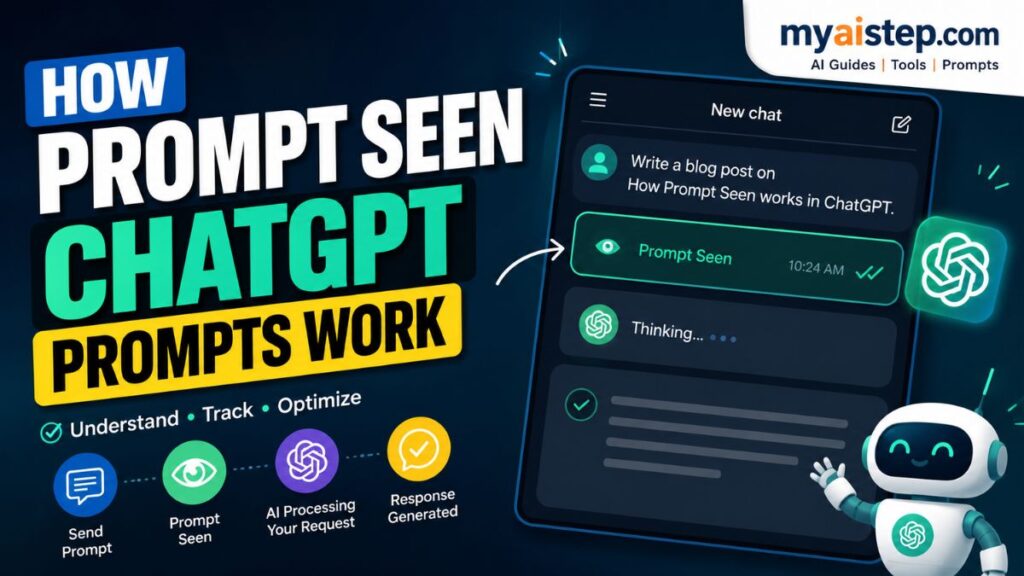
- Subject: who is in the photo and which features to keep (face, hair, outfit)
- Scene: the background and setting, like a rose-filled room or a rooftop at dusk
- Lighting: soft window light, golden hour, neon glow, hard flash
- Mood: cinematic, dreamy, editorial, vintage
- Output quality: sharpness, grain, aspect ratio, and overall finish
Compare “make me look cool in a city” with “add a rain-soaked neon street at night, cinematic side lighting, reflections on wet pavement, shallow depth of field, vertical format.” The second one gives the AI something specific to work with, so the result looks intentional instead of random. Detail is what separates a throwaway image from one worth posting.
What You Need Before You Start
You do not need a subscription to a dozen tools. Here is the short list:
- A ChatGPT account that supports image generation. Paid plans usually allow more generations per day, while free access tends to come with tighter limits, so check what your account can do before you start.
- One clear reference photo of yourself. Front-facing, decent lighting, and a sharp face work best. Blurry or dark source photos lead to weak results.
- A prompt to paste in. You will find five below.
- A few minutes to regenerate and tweak, since the first try is rarely the keeper.
That is enough to create your first edit. Everything else is refinement.
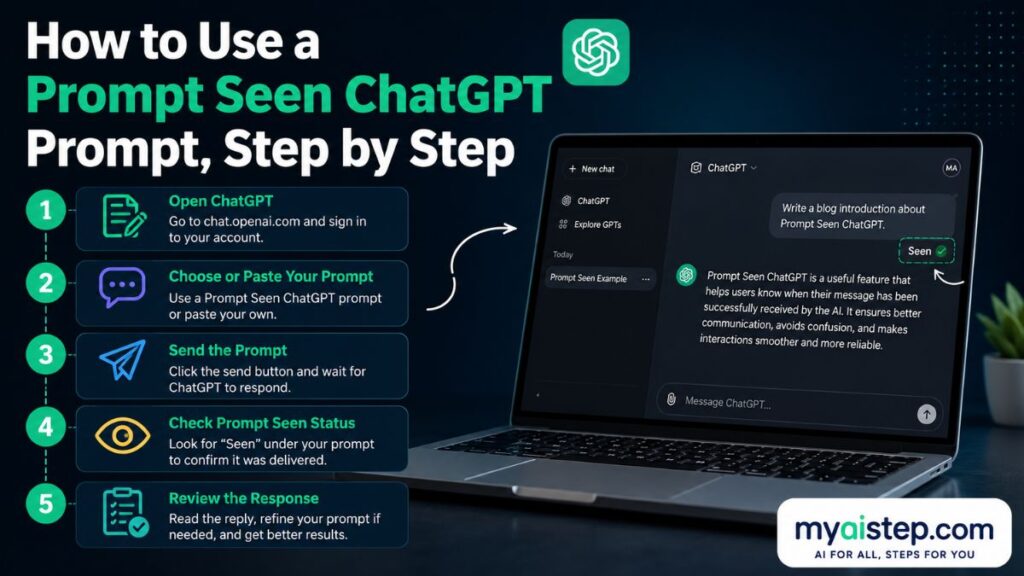
How to Use a Prompt Seen ChatGPT Prompt, Step by Step
The process is short once you have done it once.
Upload Your Reference Photo
Open ChatGPT, start a new chat with image generation, and attach your photo. Pick your best source image. A clean, well-lit face gives the AI more to hold onto, which means the edited version still looks like you.
Paste and Adjust the Prompt
Paste the prompt below the photo. Before you send it, swap any bracketed parts for your own details, such as outfit color or setting. Add one line at the end telling the AI to treat your uploaded photo as the only face reference. That single instruction keeps your features from drifting into a stranger’s.
Generate, Review, and Refine
Send it and wait for the result. Look closely at the face, the lighting, and the background. If something is off, do not rewrite the whole prompt. Ask for one change at a time, like “keep everything, but make the light warmer” or “same image, sharper face.” Small nudges get you to a clean final faster than starting over.
Ready-to-Copy Prompt Seen ChatGPT Prompts
Here are five prompts for the styles people search for most. Copy one, paste it under your photo, and edit the details in brackets. Each one already includes the identity instruction, so your face stays your face.
Rose Room Portrait Prompt
Use the uploaded photo as the only reference for the face, hairstyle, and expression. Create a cinematic portrait of the same person in a warm room filled with soft roses. Add gentle window light from the side, a shallow depth of field, and a dreamy pink and cream color grade. Keep the skin natural, not plastic. Vertical format, high detail.
Rooftop Couple Edit Prompt
Use both uploaded photos as the only face references for each person. Create a candid rooftop portrait of the couple at golden hour, city skyline blurred behind them. Soft warm sunlight, relaxed poses, film-style grain, and a nostalgic color grade. Preserve each face and outfit accurately. Vertical format.
Neon Street Night Prompt
Keep the uploaded photo as the only reference for the face and outfit. Place the same person on a rain-soaked city street at night, lit by pink and blue neon signs. Add reflections on the wet pavement, cinematic side lighting, and a shallow depth of field. Moody, editorial feel. Vertical format, sharp detail.
Cozy Café Profile Prompt
Use the uploaded photo as the only face reference. Create a relaxed café portrait of the same person sitting by a window with a coffee cup, warm morning light coming through. Soft focus on the background, natural skin tone, and a cozy, inviting mood. Keep the outfit as shown. Square or vertical format.
Trending Mirror Selfie Prompt
Keep the uploaded photo as the only reference for the face and body. Recreate the same person taking a mirror selfie in a modern, well-lit room, phone slightly visible, stylish outfit. Add flattering even lighting, a clean high-end look, and subtle film grain. Do not change the face. Vertical format.
How to Keep Your Face Accurate in AI Edits
The most common complaint with these edits is that the result stops looking like you. There are a few reliable fixes. Start with a sharp, front-facing source photo, since the AI can only work with what it sees. Add the “use the uploaded photo as the only face reference” line to every prompt, and repeat it if the face still drifts. Avoid heavy styling instructions that pull the image toward a generic model look. And if a result is close but slightly off, ask for the same image with a more accurate face rather than generating a fresh one. Accuracy usually improves with a better input, not a longer prompt.
Prompt Seen ChatGPT vs Other AI Photo Tools
ChatGPT is not the only option for these edits, and it helps to know where each tool fits.
- ChatGPT image tool: strong at following written instructions and holding a likeness from an uploaded photo, which makes it a good match for these copy-paste prompts.
- Google Gemini: also handles image prompts well and is worth trying if you want a second version of the same idea for comparison.
- Midjourney: produces beautiful, stylized art, but it leans toward original scenes rather than keeping your exact face, so it fits mood boards better than personal portraits.
- Dreamina and similar editors: built around templates and identity preservation, which some beginners find simpler than typing a full prompt.
For “prompt seen” style photos where the goal is you, looking cinematic, ChatGPT and Gemini tend to be the easiest starting points. The others are worth exploring once you know what look you are after.
Tips to Write Your Own Viral AI Photo Prompts
Once you have used a few prompts, writing your own is not hard. A few habits make the difference:
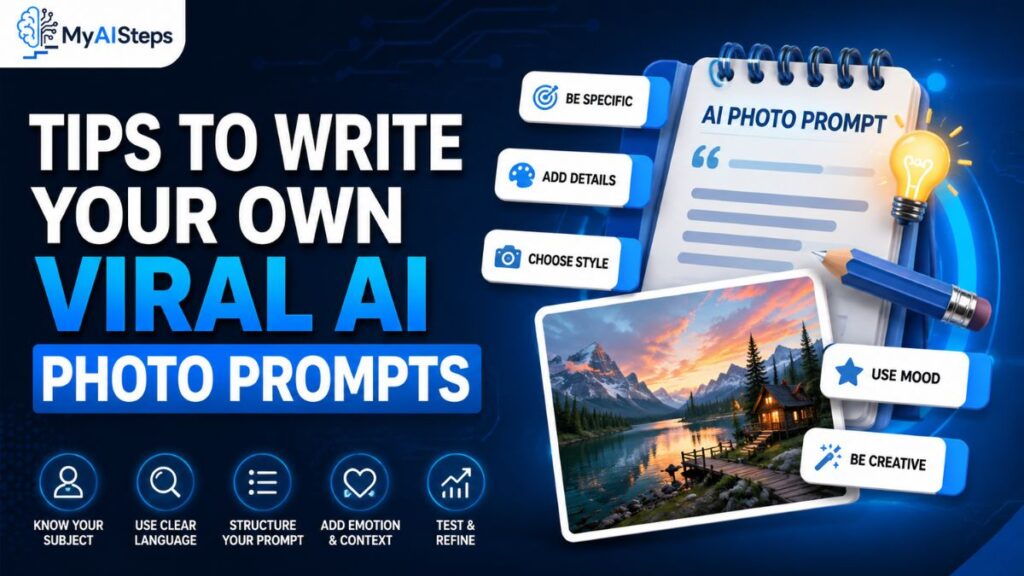
- Name the light. Say “soft window light” or “golden hour” instead of leaving it open. Lighting decides whether a photo reads as real or fake.
- Describe the camera feel. Words like “shallow depth of field,” “35mm,” or “film grain” push the result toward photography rather than illustration.
- Set the mood in one or two words. Cinematic, cozy, editorial, or vintage steer the whole image.
- Protect your identity. Always tell the AI to keep your uploaded face.
- Change one thing at a time. If a result is close, adjust a single detail rather than rewriting everything.
Build a small collection of prompts that work for you and reuse them. That is how creators get a consistent style across their feed.
Common Mistakes and How to Fix Them
Most disappointing results come from a handful of avoidable errors:
- The face changes. Usually caused by a weak source photo or a missing identity line. Use a sharper photo and repeat the instruction.
- Skin looks plastic. Add “natural skin, not overly smooth” and lower the styling. Over-processing is the usual culprit.
- The image is blurry or low detail. Ask for “high detail, sharp focus” and start from a higher-quality photo.
- It looks over-edited. Strip out extra effects and keep the prompt focused on light, scene, and mood.
- Wrong shape for the platform. State the format you need, like vertical for Reels or square for a profile, so it fits where you plan to post.
Fixing these is quick once you know which one you are dealing with.
Is Prompt Seen ChatGPT Safe and Free to Use?
For your own photos, this is generally safe, and the prompts themselves are just text. A couple of things are worth keeping in mind. Only upload photos you have the right to use, and avoid editing other people’s images without their permission. As for cost, many people can try a few edits without paying, but free access usually comes with daily limits, and heavier use tends to need a paid plan. Limits and pricing change often, so check the current terms in your account before you rely on it for anything important. Treat the edits as creative content, and be honest about them being AI-generated when it matters, such as on a profile or in professional work.
Frequently Asked Questions
What does “prompt seen” mean in ChatGPT? It refers to ready-made ChatGPT image prompts you copy to turn a normal photo into a cinematic edit.
Is Prompt Seen ChatGPT free? You can often try a few edits for free, but heavier use usually needs a paid plan with higher limits.
How do I use ChatGPT to edit my own photos? Upload your photo, paste a prompt, add a line telling it to keep your face, then generate and refine.
Can ChatGPT keep my face the same? Yes, if you use a clear source photo and instruct it to treat your upload as the only face reference.
What is the best prompt for viral AI photos? The best prompt describes subject, scene, lighting, and mood clearly, like the five examples above.
Is ChatGPT or Gemini better for AI photos? Both work well. Try the same prompt in each and keep whichever result looks closer to you.
Conclusion
“Prompt Seen ChatGPT” is really just a shortcut: someone already wrote the prompt, and you get to reuse it. That is why beginners love it. You do not need editing skills or a fancy camera to post a cinematic portrait, only a clear photo and a prompt worth copying. Start with one of the five prompts above, upload your best shot, and add the line that keeps your face accurate. Your first try might not be perfect, and that is normal. Regenerate, adjust one detail at a time, and you will land on something you are happy to share. Once you understand how these prompts are built, from lighting to mood to format, you can start writing your own and shape a look that feels like yours. Pick a style, test it today, and see what your own photos can turn into.