
Yes, you can use ChatGPT commercially. Businesses, freelancers, agencies, creators, and professionals can use ChatGPT to draft content, prepare client work, create marketing material, improve workflows, and support internal business tasks.
But there is one important point: commercial use does not mean “anything is allowed.”
You still need to follow OpenAI’s terms, avoid misleading or illegal use, protect private data, check facts before publishing, and respect industry rules if you work in areas like healthcare, finance, law, hiring, or advertising.
For most normal business use cases, the answer is simple: ChatGPT can be used commercially as long as you use it responsibly and review the output before it goes public.
This guide explains what commercial use means, who owns ChatGPT output, which plan is better for business use, what restrictions apply, and how professionals can use ChatGPT safely without creating legal, SEO, or client-trust problems.
Quick answer:
You can use ChatGPT commercially for business writing, client work, marketing content, product descriptions, internal documents, customer support drafts, and many other professional tasks. You own the output you generate, but you are responsible for checking accuracy, following laws, protecting confidential data, and making sure your use does not violate OpenAI policies or platform rules.
What Does Commercial Use of ChatGPT Mean?
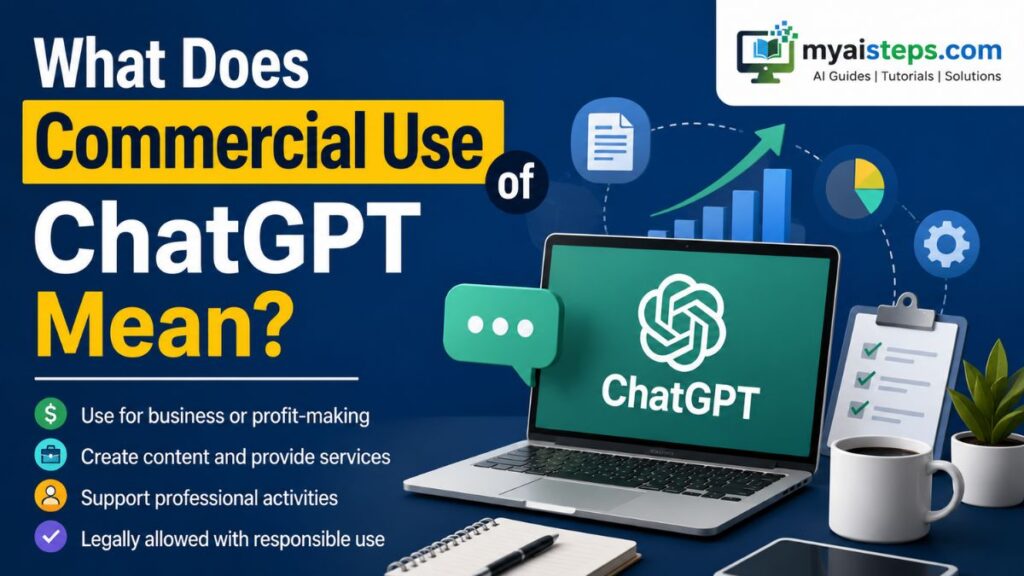
Commercial use means using ChatGPT in any activity connected to earning money, supporting a business, serving clients, promoting a brand, or improving professional work.
It does not only mean selling ChatGPT-generated text directly. Even if ChatGPT is just helping you save time inside your business, that still counts as commercial use.
For example, these are commercial uses of ChatGPT:
- A freelancer using ChatGPT to draft blog posts for a client
- An agency creating social media captions for a brand campaign
- An e-commerce store writing product descriptions
- A real estate agent preparing property listing copy
- A consultant drafting client reports
- A startup using ChatGPT to create help center articles
- A marketing team writing email campaigns
- A business owner creating SOPs, training guides, or customer replies
The key difference is purpose. If you are using ChatGPT for personal learning, fun, or casual writing, that is personal use. If you are using it to support work, clients, revenue, or business operations, that is commercial use.
This is why many professionals use ChatGPT every day without thinking of it as a “commercial AI tool.” A simple email draft, product description, client proposal, or ad headline can still be part of a commercial workflow.
Can You Legally Use ChatGPT for Commercial Purposes?

Yes, OpenAI allows commercial use of ChatGPT output, as long as your use follows its terms and applicable laws.
In simple words, OpenAI does not stop you from using ChatGPT-generated content in business work. You can use the output for blog posts, client drafts, marketing material, email campaigns, internal documents, website copy, product descriptions, and similar professional content.
You also do not need to ask OpenAI for a separate commercial license just to use normal ChatGPT output in your business.
However, you should not treat this as legal permission for every possible situation. Your final use still matters.
For example, using ChatGPT to draft a harmless product description is very different from using it to create fake reviews, misleading medical claims, spam campaigns, or financial advice with no professional review.
A good rule is this:
ChatGPT can help you create business content, but your business is still responsible for what it publishes, sells, sends, or gives to clients.
That responsibility includes checking facts, removing misleading claims, editing the content, protecting private data, and making sure the final output matches your industry rules.
Who Owns ChatGPT Output?
OpenAI’s terms say that, between you and OpenAI, you own the output generated from your input, to the extent allowed by law.
That means you can usually publish it, sell it, edit it, use it in client work, include it on a website, or turn it into business content.
For most freelancers and businesses, this is the most important part of the commercial use question. If ChatGPT helps you write a blog post, email sequence, sales page, product description, or customer support script, OpenAI is not claiming ownership of that normal text output.
But there are still a few practical points to understand.
First, similar output can happen. AI systems may give similar answers to different users, especially for common topics. So even though you own your output, it may not always be completely unique.
Second, ownership does not automatically mean copyright protection. In some countries, purely AI-generated content with no meaningful human input may not qualify for full copyright protection. If you want stronger authorship, you should edit the content, add your own ideas, include examples, restructure weak parts, and make real creative decisions.
Third, if ChatGPT includes third-party content through tools, apps, browsing, plugins, connectors, or outside sources, that content may have its own rules. You should not assume every third-party output is automatically yours to reuse without checking.
The safest approach is simple: use ChatGPT as a draft assistant, not as a copy-paste machine. The more human judgment, editing, research, and original insight you add, the stronger and more useful the final content becomes.
What Are the Main Restrictions on Commercial Use?
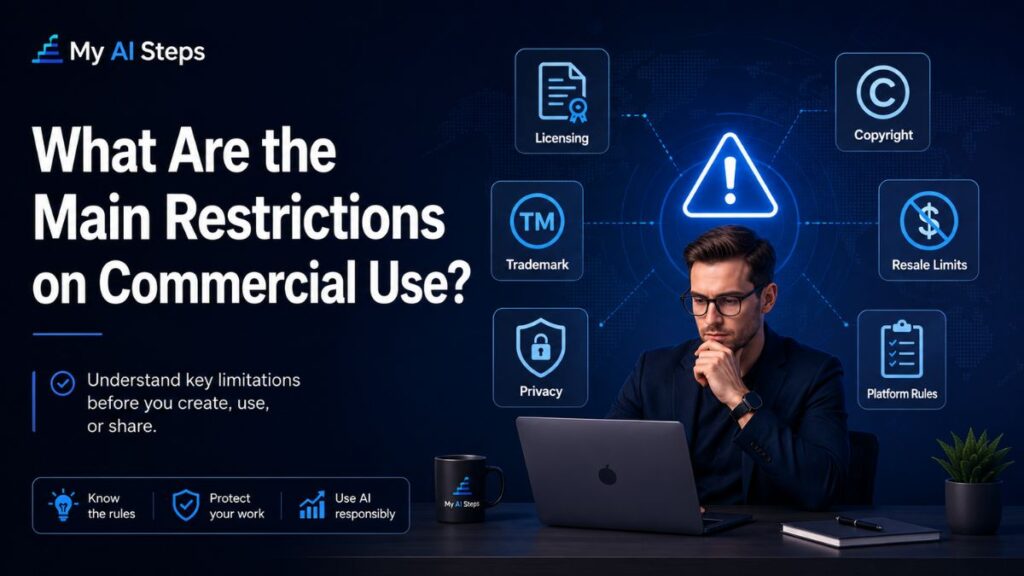
For normal business tasks, ChatGPT’s commercial use rules are flexible. The restrictions mainly target harmful, deceptive, illegal, or abusive use.
Here are the main limits businesses should understand.
Do not use ChatGPT for illegal or harmful activity
You cannot use ChatGPT to create content or systems that break the law, violate someone’s rights, or cause harm. This includes scams, fraud, harmful instructions, privacy violations, or deceptive content.
For a normal business, this usually means staying away from fake claims, fake testimonials, impersonation, misleading offers, or content designed to manipulate people.
Do not present AI output as human-made when that matters
OpenAI’s terms restrict users from representing output as human-generated when it is not.
This does not mean every blog post must start with “AI helped write this.” But it does mean you should be careful in situations where the difference matters, such as academic work, legal documents, regulated industries, journalism standards, professional licensing, or client contracts that require human-written work.
If a client directly asks whether AI tools are part of your workflow, be honest. It is better to explain that ChatGPT is used for drafting or brainstorming, while the final work is reviewed and edited by a human.
Do not rely on ChatGPT as the only source of truth
ChatGPT can be helpful, but it can also make mistakes. It may invent statistics, misread a topic, give outdated information, or sound confident about something that is not true.
This is especially risky for:
- Health content
- Legal guidance
- Financial advice
- Employment decisions
- Insurance or housing decisions
- Safety-related instructions
- Technical documentation
- Product claims
For commercial publishing, every important claim should be checked before it goes live.
Do not use ChatGPT output to build a competing AI model
OpenAI restricts using its output to develop models that compete with OpenAI. This matters more for developers and AI startups than for everyday freelancers.
For example, using ChatGPT to draft a blog post is normal commercial use. But using large amounts of ChatGPT output to train your own competing AI model can create policy problems.
Be careful with ChatGPT Voice Output
Text output and voice output are not always treated the same way. ChatGPT Voice Output has separate restrictions and should not be reused as a standalone commercial audio file unless the terms clearly allow your specific use.
For most businesses, this means you should be careful before turning ChatGPT voice responses into paid audio products, voiceovers, ads, or downloadable sound files.
Which ChatGPT Plan Is Best for Commercial Use?
All main ChatGPT plans can support some type of commercial use, but the best plan depends on your privacy needs, team size, and the type of work you handle.
A freelancer writing simple drafts has different needs from an agency handling client strategy documents. A developer building an app has different needs from a small business owner creating social media content.
Here is a simple comparison.
| ChatGPT option | Commercial use | Best for | Privacy note |
| Free | Yes, for light tasks | Basic drafts, ideas, simple content | Review data settings before adding sensitive information |
| Plus / Pro | Yes | Freelancers, creators, solo professionals | Better for individual productivity, but still manage data controls carefully |
| Business | Yes | Agencies, small teams, growing companies | Designed for team workspaces and business data protection |
| Enterprise | Yes | Larger organizations | Better for advanced security, compliance, admin controls, and custom needs |
| API | Yes | Developers, SaaS tools, apps, automations | Separate product with separate technical setup and usage policies |
For most freelancers and solo professionals, Plus or Pro can be enough if the work is not highly sensitive.
For agencies, client-facing teams, and businesses handling confidential information, ChatGPT Business is usually the better choice because it is built for team use and stronger business privacy.
For large companies, regulated industries, or organizations with strict compliance requirements, Enterprise is more suitable.
For developers who want to build AI-powered tools, apps, customer support bots, or internal software, the API is the right route. The API is separate from the normal ChatGPT web app and has its own pricing, controls, and implementation requirements.
Is It Safe to Paste Client Data Into ChatGPT?
Not always. This depends on the plan you use, the kind of data you are sharing, and whether you have permission from the client.
If you are working with public information, general marketing ideas, or non-sensitive drafts, the risk is lower. But if you are handling private strategy documents, customer data, contracts, financial information, unpublished product plans, or confidential client briefs, you should be more careful.
Before pasting client data into ChatGPT, ask yourself:
- Is this information confidential?
- Did the client allow AI tools in the workflow?
- Does my ChatGPT plan protect business data by default?
- Could this information identify a person, customer, employee, or company strategy?
- Do I really need to paste the full document, or can I remove sensitive details first?
A safer workflow is to remove private names, emails, phone numbers, client IDs, financial figures, and internal strategy details before using AI tools. For teams, use a business-level plan and create a clear AI usage policy for staff.
For client work, privacy matters as much as writing quality. A polished article is not worth the risk if it exposes confidential information.
Can Freelancers Use ChatGPT for Client Work?
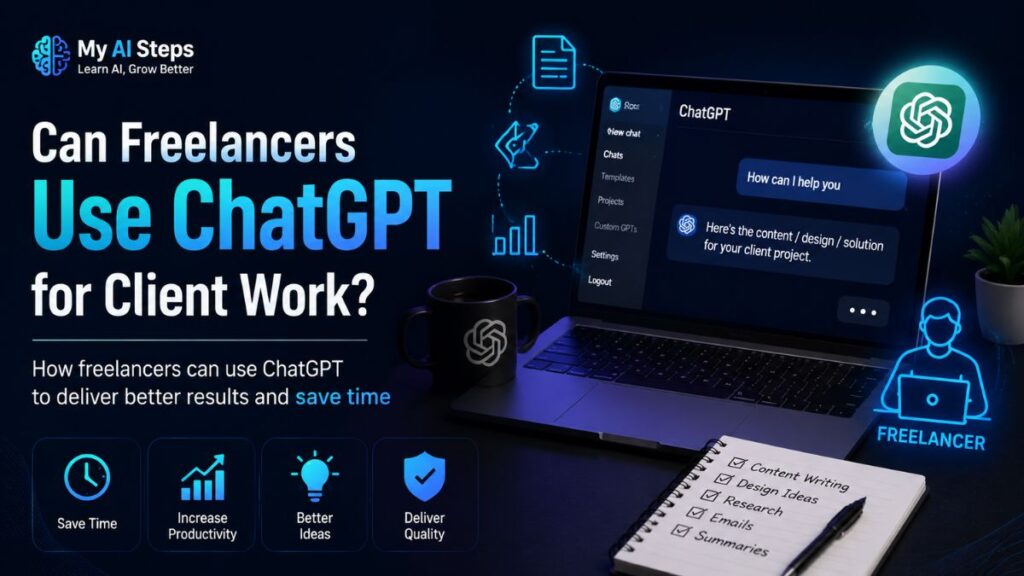
Yes, freelancers can use ChatGPT for client work, but they should use it professionally.
That means ChatGPT should help with drafting, outlining, research planning, headline ideas, editing, formatting, and content improvement. It should not replace client understanding, subject knowledge, fact-checking, or final human review.
For example, a freelance writer can use ChatGPT to create a rough blog outline, then add original research, examples, brand voice, and SEO improvements. A social media manager can use it to draft caption options, then adjust the tone for the client’s audience. A designer can use it to prepare project descriptions, proposals, or content briefs.
The problem starts when a freelancer sells raw AI output as finished expert work. Clients pay for judgment, not just words. If your workflow uses AI, the value should come from how you guide, edit, verify, and improve the final result.
A simple client-safe policy is:
“I may use AI tools for brainstorming, outlining, and drafting support, but all final work is reviewed, edited, and quality-checked before delivery.”
That type of statement is clear, honest, and professional.
Part 1 Summary
You can use ChatGPT commercially for most business and professional tasks. OpenAI allows users to own and use normal ChatGPT output, but commercial use still comes with responsibility.
The main things to remember are:
- Commercial use means using ChatGPT to support business, income, clients, or professional work.
- You can use ChatGPT output in client work, marketing, websites, product copy, and internal documents.
- You are responsible for accuracy, legal compliance, and final review.
- Do not misrepresent AI output as human-made where that distinction matters.
- Do not paste sensitive client data into the wrong plan or workflow.
- Business, Enterprise, and API options are better for teams, sensitive data, and serious commercial workflows.
- ChatGPT is safest when used as a professional assistant, not as an unchecked replacement for human judgment.
In the next part, we will cover copyright, SEO, Google AI content guidance, AI Overview visibility, disclosure rules, advertising risks, and how to make ChatGPT-assisted content safer for publishing.
Is ChatGPT-Generated Content Safe for SEO?
Yes, ChatGPT-generated content can be safe for SEO if it is useful, accurate, original, and properly edited before publishing.
Google does not automatically penalize a page just because AI helped create it. The real issue is quality. If the content is thin, repetitive, copied, misleading, or written mainly to manipulate rankings, it can perform poorly whether it was written by AI or by a human.
This is where many businesses make the mistake.
They generate an article, paste it directly into WordPress, add a few keywords, and expect it to rank. That rarely works now. Search engines are much better at understanding whether a page actually helps the reader.
For SEO, ChatGPT should be used as a writing assistant, not as the full content strategy.
A safe SEO workflow looks like this:
- Use ChatGPT to create an outline or first draft.
- Add original examples, data, product knowledge, or personal experience.
- Check all claims, dates, prices, policies, and statistics.
- Improve the introduction so it answers the main query quickly.
- Add helpful headings, FAQs, tables, and summary sections.
- Remove repeated lines and generic AI-style wording.
- Make sure the article solves the reader’s real problem.
The best ChatGPT-assisted content does not feel like raw AI content. It feels like a clear, useful article written by someone who understands the topic and the reader.
Quick answer:
ChatGPT content is not bad for SEO by default. It becomes risky when it is low-quality, unedited, inaccurate, or created only to target keywords without helping the reader.
Does Google Penalize ChatGPT Content?
Google does not have a simple rule that says “AI content is banned.” Its systems focus more on helpfulness, originality, trust, and whether the page satisfies the searcher’s intent.
So the better question is not, “Was this content written with AI?”
The better question is:
“Does this page provide a better answer than the other pages ranking for the same keyword?”
If the answer is no, the content may struggle.
For example, a basic article that says “ChatGPT is useful for businesses” in ten different ways will not stand out. But an article that explains commercial rights, output ownership, privacy risks, copyright concerns, client disclosure, SEO safety, and practical business workflows has a much stronger chance.
Google also looks for people-first content. That means the page should be written for the reader first, not just for search engines. If the article exists only because a keyword has search volume, it will feel empty.
A strong article should answer these questions clearly:
- What does the user want to know?
- What is the direct answer?
- What mistakes should the user avoid?
- What practical steps should they take?
- What risks should they understand?
- What information would make this page more useful than a basic AI answer?
For this topic, the reader is likely a freelancer, business owner, marketer, content creator, agency owner, or startup founder. They do not only want a legal yes or no. They want to know what is safe, what is allowed, what can go wrong, and how to use ChatGPT without damaging their business or client trust.
How to Make ChatGPT Content Ready for AI Overviews, AEO, and GEO
AI Overviews, answer engines, and generative AI search systems usually prefer content that is clear, structured, direct, and easy to extract.
This does not mean you should write robotic content. It means your article should make important answers easy to find.
AEO stands for Answer Engine Optimization. GEO stands for Generative Engine Optimization. AIO is often used when people talk about Google AI Overviews. In simple terms, all of these focus on one thing: making your content easy for search engines and AI systems to understand and summarize.
For this article, that means adding short answer blocks for the most important questions.
For example:
Can you use ChatGPT commercially?
Yes. You can use ChatGPT commercially for business writing, client work, marketing content, internal documents, product descriptions, and professional workflows, as long as you follow OpenAI’s terms, applicable laws, platform rules, and client agreements.
Who owns ChatGPT output?
In most normal use cases, you own the output generated from your input, subject to OpenAI’s terms and applicable law. However, ownership does not always mean the content is fully copyright-protected.
Is ChatGPT content safe for SEO?
Yes, if it is edited, fact-checked, original, and useful. Raw AI content published at scale without value can create SEO problems.
These answer blocks help both readers and AI systems.
A strong AEO/GEO-friendly article should include:
- Short direct answers under important headings
- Clear definitions
- Practical examples
- Comparison tables
- Step-by-step workflows
- FAQs based on real user questions
- Simple language
- Updated facts
- Original insights
- Human review and experience
Avoid adding keywords just to “feed” AI tools. That usually makes the content worse. Instead, cover the topic naturally and completely.
For example, do not repeat “ChatGPT commercial use” in every paragraph. Use related phrases where they fit:
- use ChatGPT for business
- commercial rights
- AI-generated content
- client work
- output ownership
- business privacy
- content disclosure
- copyright risk
- AI-assisted writing
- OpenAI usage rules
- human review
This gives search engines a richer understanding of the topic without making the article feel stuffed.
Can ChatGPT Content Appear in Google AI Overviews?
It can, but there is no guaranteed way to force any page into AI Overviews.
AI Overview visibility depends on many things, including content quality, search intent, authority, clarity, page structure, and whether the content gives a useful answer that search systems can trust.
For this topic, your content has a better chance if it answers common business questions directly, such as:
- Can I use ChatGPT for client work?
- Can I sell content written with ChatGPT?
- Who owns ChatGPT-generated content?
- Is ChatGPT output copyright protected?
- Do I need to disclose AI use?
- Is AI-generated content bad for SEO?
- Which ChatGPT plan is best for businesses?
- Can I use ChatGPT API commercially?
Each of these questions should have a clear answer near the start of its section. After that, the section can explain the details.
The mistake many websites make is hiding the answer inside a long paragraph. A reader should not have to scan 500 words just to find a simple yes or no.
For AI search visibility, use this format:
- Start with a direct answer.
- Explain the condition or limitation.
- Give an example.
- Add a practical recommendation.
Example:
Can you sell content written with ChatGPT?
Yes, you can sell ChatGPT-assisted content, but you should edit it, fact-check it, and make sure it meets your client’s expectations. If your contract requires fully human-written work, you should not deliver AI-assisted content without disclosure.
This structure works well because it is clear for beginners, useful for readers, and easy for AI systems to summarize.
Can You Copyright Content Made With ChatGPT?
This is one of the most misunderstood parts of commercial AI use.
You can usually use and sell ChatGPT-generated content, but copyright protection is a separate issue.
In the United States, copyright law generally requires human authorship. Purely AI-generated material with no meaningful human creative input may not qualify for copyright protection. That does not mean you cannot use the content. It means you may have weaker legal protection if someone else copies it.
The practical difference is important.
If you ask ChatGPT to write a simple article and publish it exactly as it is, your copyright claim may be weak. But if you heavily edit the article, add your own examples, restructure the content, include original research, and make creative decisions, the human-created parts may be more protectable.
Think of it like this:
- Raw AI output = useful draft, weaker authorship claim
- Human-edited AI content = stronger originality
- Human-written content with AI assistance = stronger creative ownership
- Original research, examples, commentary, and structure = much better content value
For businesses, this matters most when content has long-term value. Blog posts, landing pages, course material, ebooks, reports, brand messaging, and paid client deliverables should not be left as raw AI output.
A better workflow is to make ChatGPT the starting point, then add human judgment.
That may include:
- rewriting the introduction
- changing weak headings
- adding brand-specific examples
- adding your own process
- checking facts
- improving tone
- adding expert notes
- removing generic statements
- creating original tables or frameworks
This makes the content better for readers and safer from an ownership perspective.
Plagiarism and Duplicate Content Risks
ChatGPT does not copy from one single source every time it generates text, but that does not mean every output is automatically unique.
For common topics, the wording can sometimes resemble existing content. This is more likely when the topic has many similar pages online, such as “best email marketing tips,” “how to write product descriptions,” or “can you use ChatGPT commercially?”
That is why businesses should treat plagiarism checks as part of the publishing process, especially for client work.
A plagiarism checker is not perfect, but it can help catch sentences or sections that are too close to existing pages. This is useful before publishing content under your own brand or delivering it to a paying client.
Duplicate content is also a practical SEO issue. If your article sounds almost the same as dozens of other pages, it will not stand out. Even if it passes a plagiarism check, it may still be too generic to rank.
To reduce similarity risk:
- Add original examples
- Use your own structure
- Include current policy context
- Add tables or checklists
- Include real business scenarios
- Rewrite generic sections manually
- Avoid copying ChatGPT output directly
- Compare your page against top-ranking competitors
The goal is not only to avoid plagiarism. The goal is to create a page that has its own value.
Do You Need to Disclose That You Used ChatGPT?
There is no universal rule that every business must disclose ChatGPT use every time.
For example, if you use ChatGPT to brainstorm headline ideas or outline an internal document, disclosure may not be necessary.
But there are situations where disclosure can matter.
You may need to disclose AI use if:
- Your client contract requires it
- A publishing platform asks for it
- You are submitting academic or journalistic work
- The content includes AI-generated images, voices, or endorsements
- You work in a regulated industry
- The audience could be misled if AI involvement is hidden
- A professional standard or licensing body requires transparency
For freelancers and agencies, the safest option is to include AI usage language in your contract or onboarding document. It does not need to sound scary.
You can say something like:
“AI tools may be used for research support, outlining, brainstorming, or drafting assistance. All final work is reviewed, edited, and approved by a human before delivery.”
This keeps expectations clear.
Some clients do not care if AI helps with drafting. They care about quality, accuracy, originality, and results. Other clients specifically want human-only work. The problem is not using AI. The problem is hiding it when the client clearly expects something else.
Transparency builds trust, especially when you explain that AI is part of your workflow, not a replacement for your professional judgment.
Can You Use ChatGPT for Ads and Marketing Copy?
Yes, businesses can use ChatGPT to write advertising and marketing copy, but the final claims must be truthful, accurate, and not misleading.
This matters because marketing content is not just creative writing. It can affect buyer decisions.
If you use ChatGPT to create ad copy, landing pages, product claims, email promotions, or sales scripts, you still need to check every claim before publishing.
Be careful with lines like:
- “Guaranteed results”
- “Doctor recommended”
- “Clinically proven”
- “Best in the market”
- “Earn $10,000 per month”
- “Lose weight fast”
- “Risk-free investment”
- “100% accurate AI detector”
- “Officially approved”
- “No side effects”
ChatGPT may generate strong sales language because it sounds persuasive. But persuasive does not always mean compliant.
For commercial marketing, every claim should be backed by evidence. If you cannot prove it, do not publish it.
You should also avoid using ChatGPT to create fake reviews, fake testimonials, fake expert endorsements, fake customer stories, or misleading scarcity messages.
For example, these are risky:
- “Thousands of customers love this” when you do not have thousands of customers
- “Only 3 spots left” when that is not true
- “Recommended by experts” without real expert support
- “AI-powered guaranteed income” with no proof
- “FDA-approved” when the product is not actually approved
ChatGPT can help you write better marketing copy, but your business must keep the claims honest.
Extra Care for Legal, Medical, Financial, and Other Regulated Content
Some industries need a higher level of review because mistakes can cause real harm.
If you work in legal, medical, financial, insurance, hiring, real estate, education, or safety-related content, do not publish ChatGPT output without professional review.
ChatGPT can write in a confident tone even when it is wrong. That is especially dangerous in regulated topics because readers may act on the information.
For example:
- A medical article could give unsafe health advice.
- A legal guide could miss local law.
- A finance article could make risky investment claims.
- A hiring tool could create biased screening questions.
- An insurance page could oversimplify coverage rules.
- A real estate article could misstate local regulations.
In these industries, ChatGPT is best used for:
- outlines
- plain-language explanations
- draft structure
- FAQ ideas
- internal notes
- editing for clarity
- summarizing already-approved material
It should not be the final authority.
A safe rule is:
If a wrong answer could cost someone money, health, legal rights, employment, housing, or safety, a qualified human should review it before use.
This does not mean businesses in regulated industries cannot use ChatGPT. It means they need a stronger review process.
How to Make ChatGPT-Assisted Content More Human and Trustworthy
The best way to make ChatGPT content feel human is not to add random slang or intentionally make grammar mistakes. That usually makes the writing worse.
Human content feels real because it has judgment, context, examples, and a clear point of view.
To improve ChatGPT-assisted content, focus on these areas:
Add specific examples
Generic line:
Businesses can use ChatGPT to save time.
Better line:
A small real estate agency might use ChatGPT to draft five listing descriptions from property notes, then have an agent add neighborhood details, pricing context, and legal disclaimers before publishing.
Specific examples make content feel more useful and less robotic.
Vary sentence structure naturally
AI writing often uses the same rhythm again and again. You can improve flow by mixing short and medium sentences.
For example:
ChatGPT is useful. But it is not a legal shield. If your business publishes a false claim, the responsibility still sits with you.
That sounds more natural than one long polished paragraph.
Remove filler lines
Avoid phrases like:
- in today’s digital world
- as technology continues to evolve
- it is important to note
- in conclusion, it can be said
- businesses of all sizes can benefit
- this powerful tool can revolutionize
These lines are common in AI drafts and do not add much value.
Add practical judgment
Good content does not only explain what is possible. It tells the reader what is smart.
For example:
If you handle confidential client material every week, do not rely on a basic personal setup. Use a business-level plan and create a written AI policy for your team.
That kind of advice feels more helpful than a generic explanation.
Best Publishing Checklist for ChatGPT Business Content
Before publishing or delivering ChatGPT-assisted content commercially, run through this checklist:
- Is the main answer clear in the first few paragraphs?
- Are all factual claims checked?
- Are legal, medical, financial, or technical claims reviewed by a qualified person?
- Is the content original enough to stand apart from competitors?
- Did you remove generic AI-style filler?
- Are keywords used naturally?
- Are headings useful for real readers?
- Does the article include direct answers for AEO and AI search?
- Are examples specific and practical?
- Did you avoid fake claims, fake reviews, or misleading advertising?
- Is sensitive client data protected?
- Does your client contract allow AI-assisted work?
- Did you add enough human editing to improve authorship and trust?
If the answer is yes, ChatGPT-assisted content can be a strong business asset.
If the answer is no, the content is probably still a draft.
Part 2 Summary
ChatGPT-generated content can be used commercially, but safe publishing depends on quality control.
For SEO, Google cares more about helpfulness, originality, trust, and reader value than whether AI helped write the first draft. For AI Overviews, AEO, and GEO, the content should answer important questions clearly, use structured headings, include direct answer blocks, and provide useful examples.
For copyright, raw AI output may be weaker than human-edited content. Businesses should add original research, structure, examples, and editorial judgment. For advertising, every claim must be truthful and supportable. For regulated industries, professional review is essential.
The strongest commercial workflow is simple:
Use ChatGPT to speed up the draft.
Use human judgment to make it accurate, original, compliant, and worth publishing.
In the next part, we will cover real-world business use cases, best practices, common mistakes, final verdict, and full FAQs.
Real-World Examples of Commercial ChatGPT Use Across Industries

ChatGPT is useful in business because it can reduce the time spent on first drafts, basic research planning, repetitive writing, and internal documentation. But the strongest results usually come when a human adds direction, context, and final review.
Here are some practical ways businesses and professionals use ChatGPT commercially.
Marketing agencies
Marketing agencies use ChatGPT to create ad copy ideas, campaign angles, email subject lines, landing page drafts, and social media captions.
For example, an agency may ask ChatGPT to generate ten headline options for a Facebook ad. The copywriter then selects the best ideas, improves the tone, checks the claims, and makes sure the copy matches the client’s brand.
This is a smart workflow because ChatGPT speeds up idea generation, while the human still controls the final message.
Freelance writers and bloggers
Freelancers often use ChatGPT for outlines, title ideas, introductions, meta descriptions, FAQs, and rough article drafts.
But for client work, raw AI output is not enough. A good writer adds search intent, examples, internal links, external references, brand tone, and original explanation.
For example, if a client asks for an article about “ChatGPT for small business,” the freelancer can use ChatGPT to create the structure. Then they can add practical examples like local service businesses, ecommerce stores, agencies, consultants, and real customer support workflows.
That is where the value comes from.
E-commerce businesses
Online stores use ChatGPT to write product descriptions, category page content, email campaigns, abandoned cart messages, and customer support replies.
This can save a lot of time, especially when a store has many products.
Still, the business should check every detail. Product size, material, warranty, delivery terms, safety claims, and return information must be accurate. ChatGPT should not invent product benefits that are not true.
A safe ecommerce workflow is:
- Add real product details
- Ask ChatGPT for a draft
- Edit the tone for the brand
- Check all claims
- Remove exaggerated language
- Publish only after review
Real estate professionals
Real estate agents use ChatGPT to draft property descriptions, neighborhood summaries, buyer emails, open house posts, and listing introductions.
For example, an agent can enter property features such as location, number of bedrooms, square footage, outdoor space, and nearby schools. ChatGPT can turn those details into a readable first draft.
But the agent should still check local rules, fair housing language, price details, and property facts before publishing. Real estate content can create legal problems if it includes misleading or discriminatory wording.
Customer support teams
Customer support teams use ChatGPT to create reply templates, FAQ answers, help center articles, refund policy explanations, and internal training documents.
This works well because many support questions are repetitive.
For example, a company can create standard replies for:
- shipping delays
- refund requests
- password reset problems
- product setup questions
- account cancellation
- billing confusion
A human should still review the templates to make sure the answer is correct, polite, and aligned with company policy.
Software and SaaS companies
Software companies use ChatGPT for release notes, help documentation, onboarding emails, product update summaries, and support chatbot scripts.
Developers may also use the API to build AI-powered features inside their own tools. In that case, the company should pay attention to data privacy, user consent, security, usage limits, and output monitoring.
ChatGPT can help explain technical features in simple language, but technical accuracy still needs review from the product or engineering team.
HR and internal business teams
HR teams can use ChatGPT to draft job descriptions, onboarding checklists, interview questions, employee handbook sections, and internal announcements.
However, hiring content needs extra care. Job descriptions should avoid biased wording, unrealistic requirements, or language that could create discrimination concerns.
For HR, ChatGPT is best used for drafting and organizing. Final decisions, screening, and policy language should always involve responsible human review.
Best Practices for Using ChatGPT Commercially
Using ChatGPT commercially is not just about asking prompts and copying answers. The real value comes from building a proper workflow.
Here are the best practices businesses should follow.
Use ChatGPT as a draft assistant, not the final authority
ChatGPT is excellent for starting work. It can help you move from a blank page to a usable draft quickly.
But the first output should rarely be the final version.
A business should review every important piece of content before using it publicly. This includes blog posts, product pages, ads, emails, proposals, reports, and client deliverables.
A good rule is:
Let AI create speed. Let humans create trust.
Always fact-check important claims
ChatGPT can make mistakes. It may give outdated prices, wrong dates, fake statistics, or confident claims that sound true but are not.
Before publishing, check:
- statistics
- laws
- prices
- product details
- medical claims
- legal claims
- financial claims
- company policies
- software features
- quotes and references
If a claim could affect a customer’s decision, verify it.
Protect sensitive business and client data
Do not paste confidential information into ChatGPT without thinking.
This includes:
- client strategy documents
- private emails
- customer lists
- financial data
- contracts
- employee records
- unpublished product plans
- login details
- personal information
If your business handles sensitive data, use a business-level setup and create clear internal rules for AI use.
You can also reduce risk by removing private names, emails, account numbers, and internal details before using AI.
Add human experience and examples
Human experience makes content more useful.
Instead of publishing a generic paragraph like “ChatGPT can help businesses save time,” add a practical example.
Better example:
A small ecommerce brand can use ChatGPT to draft 50 product descriptions from a spreadsheet, but an editor should still add brand tone, check product details, and remove repeated wording before publishing.
This kind of detail makes the content more helpful and less robotic.
Be clear with clients about AI use
If you are a freelancer, agency, or consultant, decide how you want to explain AI use to clients.
You do not need to make it complicated. A simple policy is enough.
For example:
AI tools may be used for brainstorming, outlining, drafting support, and editing assistance. All final work is reviewed, edited, and approved by a human before delivery.
This builds trust and prevents confusion later.
Check platform-specific rules
OpenAI may allow commercial use, but other platforms can have their own rules.
For example, Amazon, Google, YouTube, academic publishers, ad platforms, freelance marketplaces, and stock content platforms may each have different requirements for AI-generated or AI-assisted content.
Before using ChatGPT output on a third-party platform, check that platform’s content rules.
Avoid fake reviews, fake testimonials, and false claims
This is especially important for marketing.
Do not use ChatGPT to create fake customer reviews, fake case studies, fake expert quotes, fake product results, or fake testimonials.
Even if the writing sounds convincing, it can still be deceptive.
A business should only publish claims it can support.
Keep a human review process for regulated topics
If your content is related to health, finance, law, insurance, hiring, housing, education, or safety, review is essential.
ChatGPT can help with structure and clarity, but it should not replace a qualified professional.
For example, a law firm can use ChatGPT to simplify a draft article, but a lawyer should review the final version. A medical website can use ChatGPT to improve readability, but a qualified medical reviewer should check the facts.
Common Mistakes Businesses Make With ChatGPT
ChatGPT can be useful, but many businesses use it the wrong way. These mistakes can hurt quality, trust, SEO, and client relationships.
Mistake 1: Publishing raw AI output
This is the most common mistake.
Raw ChatGPT content often sounds clean, but it may be too general. It may repeat ideas, miss important details, or fail to match the brand’s real voice.
Before publishing, edit the content. Add examples. Remove filler. Check facts. Improve the structure.
Mistake 2: Using too many keywords
Some people think SEO means repeating the same keyword again and again. That makes the article feel unnatural.
For example, repeating “ChatGPT commercial use” in every paragraph is not helpful.
Instead, use natural related terms such as:
- use ChatGPT for business
- AI-assisted content
- output ownership
- client work
- business privacy
- commercial rights
- human review
- AI content policy
These phrases should appear only where they fit naturally.
Mistake 3: Ignoring search intent
A person searching “Can you use ChatGPT commercially?” wants a clear answer first.
They do not want a long introduction about how AI is changing the world.
Start with the answer. Then explain the details.
This is better for readers, SEO, AEO, and AI Overviews.
Mistake 4: Forgetting data privacy
Many people paste full client documents into ChatGPT without thinking about privacy.
That can be risky.
Before using client data, check your plan, your data settings, your client agreement, and your internal policy.
Mistake 5: Treating ChatGPT as legal advice
ChatGPT can explain general information, but it is not your lawyer.
If a decision affects contracts, intellectual property, compliance, employment, medical advice, financial advice, or regulated business activity, get professional review.
Mistake 6: Creating fake authority
Some users ask ChatGPT to create fake citations, fake expert quotes, fake customer stories, or fake statistics.
This is a bad idea.
It can damage trust and create legal or platform problems.
Use real sources, real examples, and honest claims.
Mistake 7: Not checking for duplicate or similar content
Even if ChatGPT does not intentionally copy one source, the output can still sound similar to existing pages, especially on common topics.
For client work or SEO content, run a plagiarism check and rewrite weak sections manually.
A Simple AI Usage Policy for Small Businesses
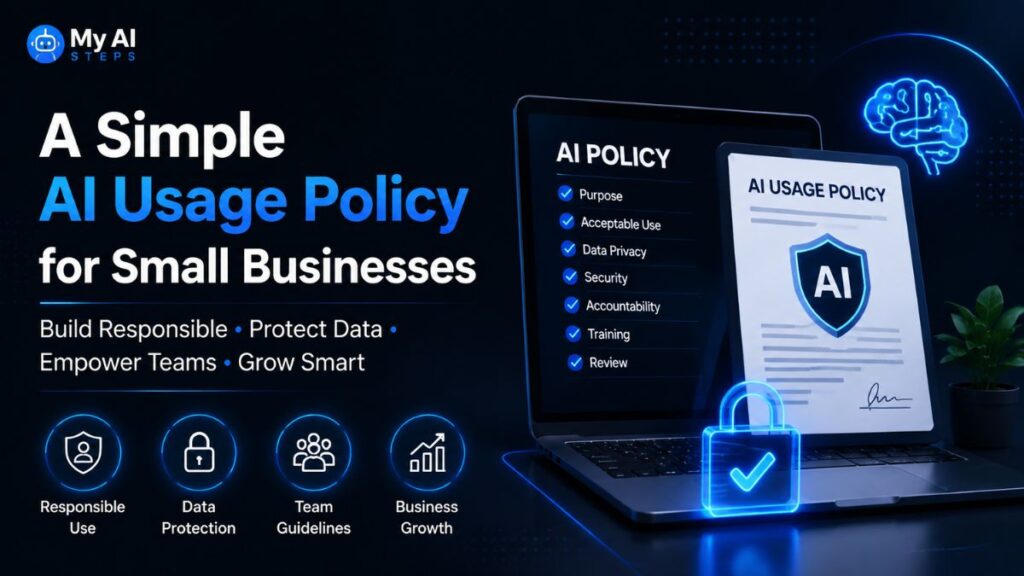
If your business uses ChatGPT often, create a simple AI policy. It does not need to be long. It just needs to set clear rules.
Here is a simple version:
Our business may use AI tools such as ChatGPT for brainstorming, outlining, drafting, editing, summarizing, and workflow support. AI-generated output must be reviewed by a human before publication or client delivery. Team members should not enter confidential client data, personal information, financial details, passwords, private customer records, or sensitive company information unless approved tools and privacy protections are in place. All factual, legal, medical, financial, technical, and advertising claims must be checked before use.
This type of policy helps your team use AI safely without blocking productivity.
For agencies and freelancers, you can also create a client-facing version:
We may use AI-assisted tools to support research, outlining, drafting, editing, and idea development. Final deliverables are reviewed, edited, and quality-checked by a human to ensure accuracy, originality, brand fit, and client requirements.
This is simple, honest, and professional.
Best Workflow for Commercial ChatGPT Content
Here is a practical workflow for using ChatGPT in business content creation.
Step 1: Define the goal
Before prompting ChatGPT, be clear about what you need.
Ask yourself:
- Who is the reader?
- What question should the content answer?
- What action should the reader take?
- Is this for SEO, sales, support, email, or internal use?
- Does it involve any sensitive or regulated information?
A better goal creates a better output.
Step 2: Give useful input
ChatGPT works better when it has context.
Instead of saying:
Write a blog post about ChatGPT commercial use.
Use a stronger prompt:
Write a beginner-friendly article for freelancers and small businesses explaining whether they can use ChatGPT commercially. Cover OpenAI output ownership, client work, data privacy, copyright, SEO safety, disclosure, and best practices. Keep the tone practical and human.
The more specific your input, the more useful the draft.
Step 3: Review the structure
Do not edit sentence by sentence first. Check the structure.
Ask:
- Is the main answer clear?
- Are the headings useful?
- Are any important sections missing?
- Is the article too generic?
- Does it answer beginner questions?
- Does it include practical examples?
Fix the structure before polishing the words.
Step 4: Add human value
This is the most important step.
Add:
- real examples
- personal experience
- expert notes
- brand tone
- original explanations
- screenshots or visuals if needed
- internal links
- current sources
- practical recommendations
This is what separates a useful article from a basic AI draft.
Step 5: Check facts and claims
Before publishing, check anything that could be wrong.
This includes:
- terms and policies
- plan names
- prices
- legal statements
- copyright claims
- Google guidance
- platform rules
- statistics
- product details
If the topic changes often, avoid writing the article in a way that becomes outdated quickly.
For example, instead of saying “ChatGPT Plus costs exactly X and includes Y forever,” write “pricing and features can change, so businesses should check the current plan page before choosing.”
Step 6: Optimize for readers and search
After the content is accurate, improve it for SEO and AEO.
Add:
- clear H2 headings
- short answer blocks
- FAQs
- tables where useful
- natural semantic keywords
- a strong introduction
- a helpful conclusion
- internal links to related articles
Do not force keywords. If a keyword does not fit naturally, leave it out.
Step 7: Final human edit
The last edit should focus on flow.
Remove:
- repeated ideas
- robotic phrases
- filler intros
- overlong paragraphs
- weak examples
- unsupported claims
- keyword stuffing
Read it like a real person. If it sounds boring, generic, or too polished, rewrite it.
Final Verdict: Can You Use ChatGPT Commercially?
Yes, you can use ChatGPT commercially.
Freelancers, agencies, creators, marketers, ecommerce brands, consultants, startups, and companies can use ChatGPT to support business writing, client work, marketing, internal documents, support content, product copy, software workflows, and many other professional tasks.
You can also use ChatGPT output in paid work, as long as your use follows OpenAI’s terms, applicable laws, platform rules, and client agreements.
The real question is not only “Can I use it?”
The better question is:
“Am I using it responsibly?”
Responsible commercial use means you check facts, protect private data, avoid misleading claims, review output before publishing, respect client expectations, and add enough human judgment to make the final work accurate and useful.
ChatGPT is not a shortcut around professional responsibility. It is a tool that can make professional work faster when used with care.
For most businesses, the best approach is simple:
Use ChatGPT for speed.
Use human review for trust.
Use original insight for quality.
Use clear policies for safety.
That is the safest and most practical way to use ChatGPT commercially.
Conclusion
ChatGPT can be used commercially, and for many businesses it is already part of daily work. It can help create content faster, improve communication, support customer service, organize internal documents, and speed up client projects.
But commercial use should be handled with care.
You own and can use normal ChatGPT output in many business situations, but you are still responsible for what you publish or deliver. That means you need to check facts, protect private information, avoid fake claims, respect client agreements, and use human judgment.
The businesses that benefit most from ChatGPT are not the ones that copy and paste the fastest. They are the ones that build a smart workflow around it.
Use AI for speed.
Use humans for accuracy.
Use experience for originality.
Use clear rules for trust.
That is how ChatGPT becomes a reliable commercial tool instead of a risky shortcut.
Frequently Asked Questions
Can I use ChatGPT for client work and charge for it?
Yes, you can use ChatGPT to support paid client work. This can include blog drafts, email copy, social media content, product descriptions, proposals, reports, and other business material. However, you should review, edit, and fact-check the final work before delivering it.
Do I need to tell clients I used ChatGPT?
Not always, but it depends on the client agreement, industry, and type of work. If your contract requires human-written work or the client asks directly, you should be transparent. A simple AI usage policy can prevent confusion.
Can freelancers sell content written with ChatGPT?
Yes, freelancers can sell ChatGPT-assisted content if it meets client expectations and does not violate contracts, laws, or platform rules. The safest approach is to use ChatGPT for drafting and then add human editing, research, examples, and quality control.
Can I use ChatGPT to write blog posts for my business?
Yes, businesses can use ChatGPT to draft blog posts. For SEO, the article should be original, helpful, accurate, and edited by a human. Avoid publishing raw AI output without adding real value.
Does Google penalize ChatGPT-generated content?
Google does not automatically penalize content only because AI helped create it. The issue is quality. Content that is thin, unhelpful, inaccurate, copied, or created mainly to manipulate rankings can perform poorly.
Can I use ChatGPT output in an ebook or paid course?
Yes, you can use ChatGPT output in ebooks, guides, templates, and paid course materials. However, you should edit the material, check accuracy, add your own expertise, and make sure the content is original enough to provide real value.
Can I use ChatGPT for product descriptions?
Yes, ChatGPT can help write product descriptions for ecommerce stores. Make sure product details such as size, material, warranty, usage, safety information, and benefits are accurate. Do not let ChatGPT invent features or claims.
Can I use the ChatGPT API commercially?
Yes, developers and businesses can use the OpenAI API commercially to build apps, tools, automations, and AI-powered features. API use has separate pricing, technical setup, and usage rules, so businesses should review those before building.
Is ChatGPT output plagiarism-free?
Not automatically. ChatGPT output is usually generated as new text, but it can still resemble existing content, especially on common topics. For commercial publishing or client work, it is smart to use a plagiarism checker and rewrite generic sections.
Can I copyright content made with ChatGPT?
Pure AI-generated content with no meaningful human input may have weak or limited copyright protection in some jurisdictions. If you edit, arrange, rewrite, add original ideas, and make creative decisions, the human-created parts may have stronger protection.
Can I use ChatGPT for legal, medical, or financial content?
You can use ChatGPT to help draft or simplify content in these areas, but you should not publish it without qualified professional review. Mistakes in legal, medical, or financial content can create serious risks.
Can I use ChatGPT for ads?
Yes, ChatGPT can help write ads, landing pages, email campaigns, and sales copy. But all claims must be truthful, accurate, and supportable. Do not use ChatGPT to create fake reviews, fake testimonials, false guarantees, or misleading product claims.
Which ChatGPT plan is best for business use?
For light individual work, personal plans may be enough. For agencies, teams, and businesses handling sensitive client information, a business-level or enterprise-level plan is usually safer. Developers building products should use the API.
Is it okay to paste confidential client documents into ChatGPT?
Be careful. Do not paste confidential documents, customer data, financial details, contracts, or private business information unless you are using the right plan, have permission, and understand the data privacy settings.
What is the safest way to use ChatGPT commercially?
The safest way is to use ChatGPT for brainstorming, outlining, drafting, editing support, and workflow speed. Then a human should review the output, check facts, add original value, protect sensitive data, and make sure the final content follows business, legal, and client requirements.