
A ChatGPT Christmas photo is a holiday image made inside a ChatGPT conversation, either generated from a written description or produced by uploading a real photo and asking for festive changes. Image generation is available on every ChatGPT plan, so you can start on a free account and refine the result through follow-up messages instead of starting over.
What Is a ChatGPT Christmas Photo?
A ChatGPT Christmas photo is a holiday image created through a text conversation rather than a separate design tool. You describe a festive scene in words, or upload a photo you already have and ask for holiday elements to be added to it.
The two paths behave differently and it is worth knowing which one you are on.
Generated images start from nothing but your description. You name the subject, setting, lighting, and style, and the model builds the whole scene. Anything you leave unsaid gets filled in for you, which is why vague prompts produce generic results.
Edited images start from a real photo you upload. According to OpenAI’s help documentation, you can upload an existing image and describe the change you want, either by highlighting an area with the selection tool or by describing the edit in the conversation.
People use both for personal greeting cards, family portraits, pet photos, social posts, and seasonal marketing graphics. Because the whole thing happens in a chat thread, you can ask for changes in plain language and keep working on the same image across several messages.
What You Need Before You Start
You need a ChatGPT account and a photo, if you are editing rather than generating. There is no separate app or plugin.
A few practical constraints are worth checking before you plan a batch of images:

- Plan access. OpenAI states that ChatGPT Images 2.0 is available on all tiers. Images with thinking, which lets the model reason about the composition before generating, is available on Plus, Pro, and Business, and is listed as coming to Enterprise and Edu.
- Where it runs. Web, iOS, and Android, per the same page.
- Free tier limits. OpenAI’s Free Tier FAQ notes that image creation can carry stricter limits than paid plans, and that it uses a tool limit separate from the text model limit. If you hit it, ChatGPT shows when access resets. OpenAI does not publish a fixed number of images per plan, so treat any “50 images a day” figure you find elsewhere as someone’s estimate rather than a guarantee.
- Age. OpenAI’s Terms of Use set a minimum age of 13, or the local minimum, and require a parent or guardian’s permission for anyone under 18.
- Rights to what you upload. The same Terms require you to represent that you have the rights, licences, and permissions needed for anything you provide as input. For family photos, that means the people in them.
How to Create a Christmas Photo With ChatGPT
Describe the image you want, generate it, then adjust through follow-up messages. Most of the improvement happens in the second and third round, not the first attempt.
- Decide what you are making. New scene or edited photo? Person, family, pet, or product? Photorealistic, cartoon, watercolour, or vintage postcard? Settling this before you type saves a round of guessing.
- Write a specific prompt. “Christmas photo of my dog” produces something generic. Name the subject, setting, lighting, and style in one or two sentences: “A golden retriever in a red knit Christmas sweater sitting beside a decorated tree with warm string lights, soft natural window light, photorealistic.” That gap in detail is the gap in quality.
- Generate it. Describe the image in a conversation, or select More and then Images. OpenAI notes that generation can take a few minutes for complex requests and that you can keep using ChatGPT while it works.
- Set the aspect ratio. Use the aspect ratio picker, or state the ratio in your prompt. Doing this before you generate avoids cropping later.
- Refine with narrow requests. “Make the lighting warmer and softer” works better than “make it better.” So does “change the sweater to green,” “add more falling snow,” or “zoom out to show more of the room.”
- Save it. Images are stored under Images, where you can copy, save to your device, or share them.
Christmas Photo Prompts You Can Copy
These are starting points, not finished prompts. Swap in your own subject details before generating, and keep the lighting and style clauses, which are the parts doing most of the work.
- Family portrait: “A family of four sitting together on a couch in matching red and white pyjamas, decorated Christmas tree behind them, warm golden lighting, photorealistic, cosy living room.” Stating the number of people keeps the group from drifting.
- Christmas card layout: “A holiday greeting card with a snowy pine forest background, soft falling snow, blank space left at the top for text, warm red and green palette.” Asking for the blank space up front beats cropping for it afterwards.
- Couple: “A couple standing close together outdoors at dusk, string lights wrapped around a snow-covered tree behind them, soft bokeh background, cinematic warm lighting, photorealistic.”
- Pet portrait: “A tabby cat in a small Santa hat, curled up in front of a fireplace with stockings hanging above, warm cosy lighting, photorealistic close-up.” Close framing gives the animal’s face more pixels, which matters given that current models still struggle with small faces.
- Santa scene: “A cheerful Santa Claus in a classic red suit, sitting in an armchair beside a decorated tree wrapping presents, warm fireplace glow, storybook illustration style.” Illustration styles sidestep the uncanny quality that photorealistic Santa renders can pick up, though that is a preference rather than a rule.
- Snowy landscape: “A quiet snow-covered pine forest at dawn, soft blue and orange sky, gentle falling snow, wide landscape composition, photorealistic.” Useful as a background for text overlays because nothing competes for attention.
- Cosy still life: “A steaming mug of hot cocoa on a wooden table beside a lit candle, blurred Christmas tree lights behind it, warm intimate mood, shallow depth of field.”
- Instagram flat-lay: “A flat-lay of gift boxes wrapped in red and gold paper, pine branches and cinnamon sticks scattered around, top-down shot, bright airy lighting, square aspect ratio.”
- Business graphic: “A minimalist holiday promotional banner with a subtle snowflake pattern, empty centre space for a logo and text, deep green and gold, flat design, wide banner ratio.” Flat design keeps the graphic quiet enough to layer a logo on top.
How to Get Better Results
Small, specific prompt changes move the output more than rewriting the whole thing. Six levers cover most of the distance between a flat result and one that looks deliberate.
- Lighting. Name the source and its warmth: “warm golden hour light,” “soft window light,” “firelight.” Leave it unspecified and you get flat, even lighting.
- Framing. Say close-up, wide shot, or centred subject. This controls how much of the scene appears and where attention lands.
- Camera language. “Shot on a 50mm lens” or “shallow depth of field” pushes the result toward photography rather than illustration.
- Colour. Pick a palette rather than leaving it to default. Traditional red and green reads differently from neutral and gold.
- One style at a time. If you want photorealism, say so and keep illustration words out of the same prompt. Mixed style cues pull the output in two directions.
- Consistency across a set. Reuse identical wording for the people or pet in every prompt. Varying the description is what makes faces drift between images.
How to Edit an Existing Photo Into a Christmas Photo
Yes, ChatGPT can edit a photo you upload. OpenAI’s documentation describes two ways to do it: highlight part of the image with the selection tool and describe the change in chat, or skip the tool and describe the edit directly in the conversation. If the change belongs to a specific area, name that area in the prompt as well as highlighting it.
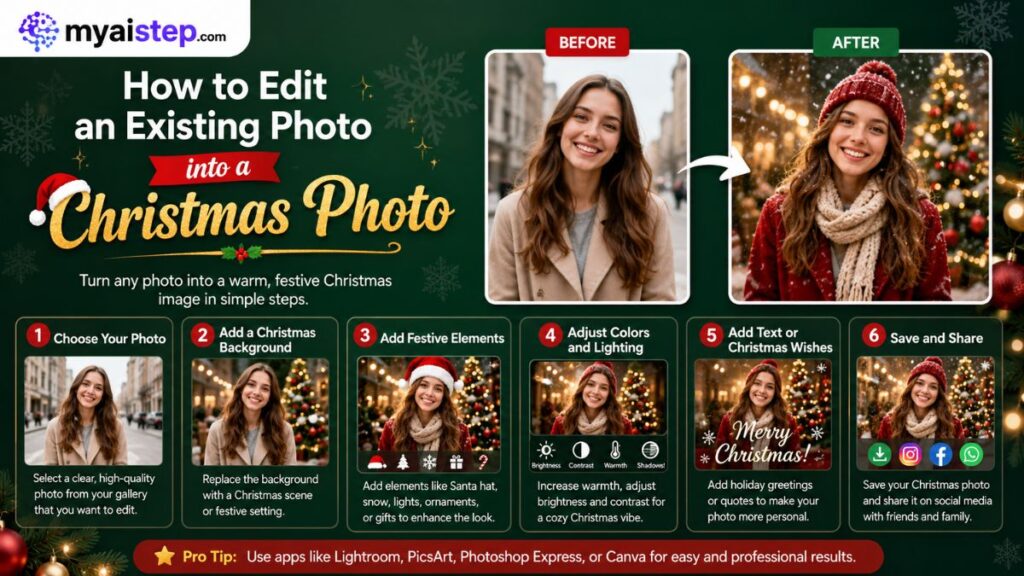
One caveat comes straight from OpenAI: highlights are not always precise, and edits may extend beyond the area you selected. Plan for a retry rather than expecting surgical accuracy on the first pass.
Requests that work well on holiday photos:
- Background swaps. Replace a plain wall with a decorated room, a snowy street, or a studio backdrop. Cleaner original backgrounds swap more cleanly.
- Added decorations. A tree, string lights, stockings, a wreath, falling snow. Name each item. “Make it festive” leaves the choices to the model.
- Clothing changes. A plain shirt into a holiday jumper. Simple, unobstructed poses edit more cleanly than angled or partly hidden ones.
- Object removal. A cluttered table or an open door in the background. Objects that overlap the main subject are harder to remove without collateral damage.
- Lighting and detail. Sharpening or evening out lighting can go in the same request as your holiday additions rather than as a separate step.
Choosing the Right Size for Cards and Social Posts
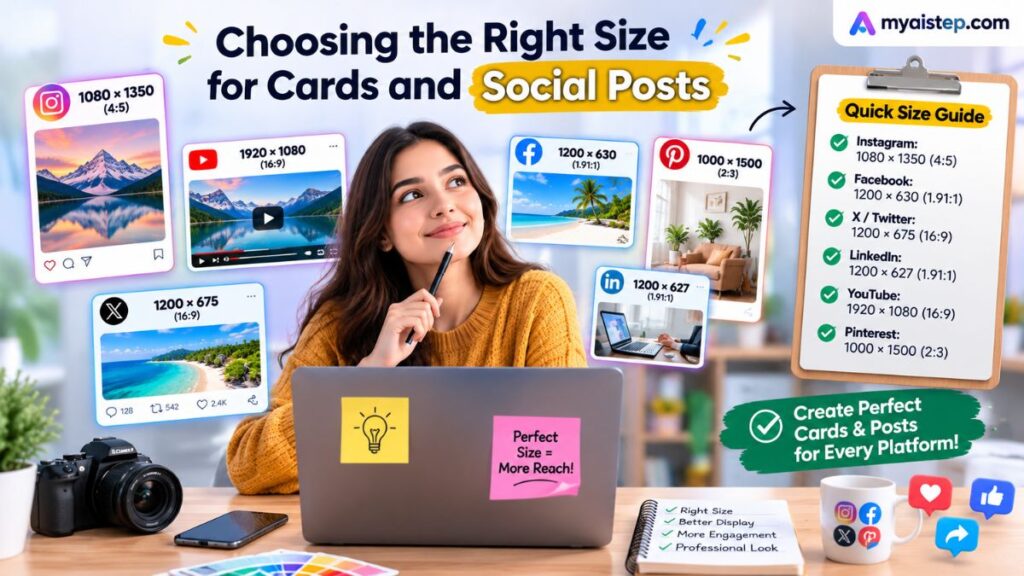
Set the size before you generate, not after. Use the aspect ratio picker in the editor, or state the ratio in your prompt, then check the pixel dimensions of the file you download.
For printed cards, the number that matters is pixels, not the word “high resolution.” Printers commonly want around 300 pixels per inch, so divide your file’s pixel dimensions by 300 to get the printable size. A 1500 by 2100 pixel file prints cleanly at 5 by 7 inches. Anything smaller will look soft on card stock even if it looks fine on screen.
For exact pixel control, OpenAI’s API reference documents the current ceilings for its GPT Image models: width and height must both divide by 16, the aspect ratio must fall between 1:3 and 3:1, the maximum supported resolution is 3840 by 2160, and anything above 2560 by 1440 is treated as experimental. Those are API constraints rather than app controls, but they tell you the realistic upper bound of what the model produces.
For social posts, square or vertical suits feed layouts better than wide landscape. Ask for the ratio in the prompt and you avoid cropping a subject out of frame later.
ChatGPT vs Other AI Image Generators
No tool wins outright. The useful question is which one matches the job, and the four alternatives below differ on documented capability rather than vibe.
| Tool | Current image model | Where it fits | Documented differentiator |
| ChatGPT | ChatGPT Images 2.0 (API: gpt-image-2) | Conversational editing of a photo you already have | Selection-tool editing and an aspect ratio picker inside the chat |
| Google Gemini | Nano Banana 2, Nano Banana Pro | People already working in Google apps | Nano Banana Pro outputs up to 4K with strong in-image text |
| Midjourney | V8.1 | Stylised, painterly, art-directed results | HD 2K images without a separate upscale step |
| Canva | Magic Studio and Dream Lab | Finished card and banner layouts | Generated images drop straight into an editable template |
| Adobe Firefly | Firefly image models | Business work where legal exposure matters | IP indemnification for customers on qualifying plans |
Compiled from each vendor’s own documentation, checked 24 July 2026. Capabilities in this category change fast.
ChatGPT vs Gemini
This is the closest comparison. Gemini is not a one-shot generator: Google’s documentation describes generating and editing images conversationally with text and images combined. The real split is output ceiling and ecosystem. Nano Banana Pro is documented for 4K output and precise in-image text, which matters for a card with lettering on it. ChatGPT is the more natural fit if the rest of your work already lives in a ChatGPT thread.
ChatGPT vs Midjourney
Midjourney is the stronger choice when you want a distinctive look rather than an accurate one. Its version documentation records V8.1 as the default since 10 June 2026, with HD 2K images generated without upscaling. ChatGPT is the better fit when you are editing a real photo and need the people in it to stay recognisable across several rounds of changes.
ChatGPT vs Canva
Canva starts from a finished layout, which is a shorter path to a print-ready card. ChatGPT gives you a fully custom scene but leaves the layout work to you. Canva’s commercial-use terms vary by feature and plan, so check its AI Product Terms before using a Canva-generated image in paid work.
ChatGPT vs Adobe Firefly
Firefly is the answer to a legal question more than a creative one. Adobe says Firefly models are trained only on content it has permission or rights to use, and that customers on qualifying plans are eligible for IP indemnification for generated content. For a family Christmas card, that protection is irrelevant. For a campaign going out under a client’s name, it may be the deciding factor.
Privacy, Consent, and Commercial Use
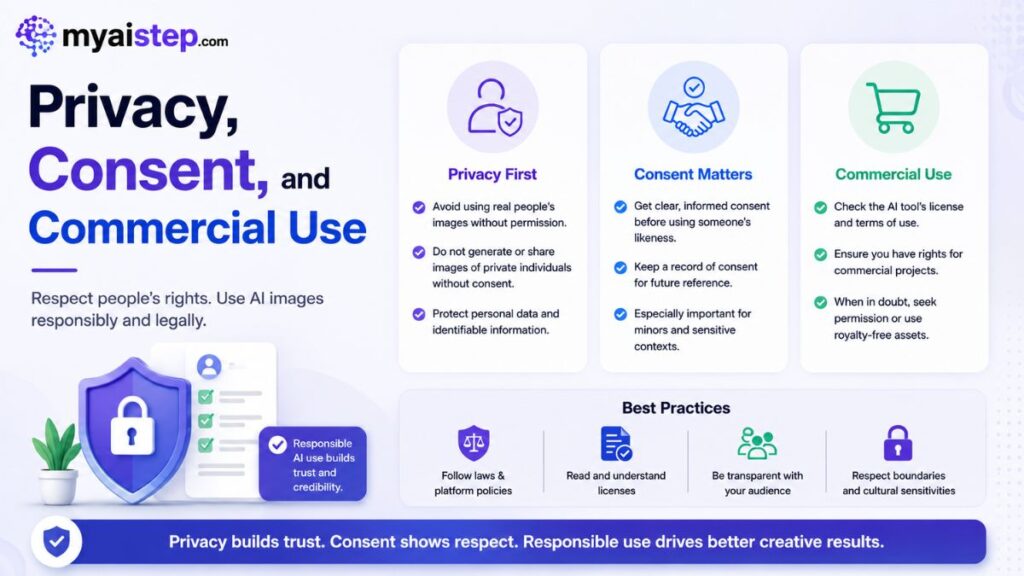
Read this section before you upload a photo of anyone other than yourself. Three separate rules apply, and they are often confused with each other.
Consent is a policy requirement, not a courtesy. OpenAI’s Usage Policies prohibit using someone’s likeness, including their photorealistic image, without their consent in ways that could confuse authenticity. Separately, the Terms of Use require you to represent that you hold the rights and permissions needed for anything you upload. For photos of children, that means a parent or guardian’s clear permission.
You own the output, but that is not the same as holding copyright. OpenAI’s Terms assign you their right, title, and interest in the output, with no distinction by plan. What that does not do is create a copyright that does not otherwise exist. The US Copyright Office concluded in January 2025 that prompts alone do not give a user enough control over the expression to make them the author, and that this holds even for long or repeatedly refined prompts. Human contributions such as your own artwork visible in the result, or your creative arrangement of the material, can be protected. The purely generated part is not. This is US guidance and other countries differ.
Your image may not be unique. OpenAI’s Terms note that other users may receive similar output, and that the assignment does not extend to anyone else’s output. Worth knowing before you build a brand around one generated graphic.
Assume the image is identifiable as AI-made. Since May 2026, OpenAI has embedded both C2PA metadata and Google DeepMind’s SynthID watermark in images generated through ChatGPT, Codex, and its API. Metadata can be stripped by uploads and format changes; the watermark is designed to survive cropping, filters, and compression. Anyone can check a file at OpenAI’s verification tool. This is not a reason to avoid AI images. It is a reason not to pass one off as a photograph, which the Terms of Use prohibit outright.
Common Problems and How to Fix Them
| Problem | Likely cause | What to try |
| Faces change between images | Each generation reinterprets the prompt from scratch | Reuse identical wording for the people every time, or upload the same reference photo with each request |
| The edit spills outside the area you highlighted | OpenAI notes highlights are not always precise | Name the area in the prompt as well as selecting it, then undo and retry with a tighter selection |
| Small faces or fine details look wrong | Current image models still handle small faces and fine detail poorly, a limitation Google DeepMind acknowledges for its own flagship | Reframe closer so the face occupies more of the frame |
| Flat, even lighting | No light source specified | Name the source and its warmth, such as “soft warm firelight” |
| Decorations missing | The prompt said “festive” instead of naming items | List each decoration individually |
| Image too small to print | The size was chosen for you | Set the aspect ratio before generating, then check the downloaded file’s pixel dimensions against 300 per inch |
| Generation stops working mid-session | Image creation has its own rate limit separate from the text limit | Wait for the reset time ChatGPT shows, rather than retrying repeatedly |
Frequently Asked Questions
Is ChatGPT image generation free?
Partly. OpenAI states that ChatGPT Images 2.0 is available on all tiers, including Free. The Free Tier FAQ adds that image creation carries stricter limits than paid plans and uses a tool limit separate from the text model limit. OpenAI does not publish a fixed number of images per plan, so any specific daily figure you see elsewhere is an estimate.
Can I use an AI Christmas image in paid marketing?
OpenAI’s Terms of Use assign output ownership to you regardless of plan, so nothing in the Terms stops you. Two things still constrain you: the US Copyright Office’s position that prompt-generated material is not copyrightable, meaning you may not be able to stop others reusing it, and the Usage Policies prohibiting use of anyone’s likeness without consent.
Does ChatGPT keep the family photos I upload?
OpenAI’s Terms state that it may use your content to provide, maintain, develop, and improve its services. There is an opt-out for having your content used to train models, linked from the Terms. If a photo is sensitive enough that you would not want it retained at all, the safer option is not to upload it.
Will anyone be able to tell my Christmas card was made with AI?
Likely yes. Since May 2026, images generated through ChatGPT carry C2PA provenance metadata and a SynthID watermark. The metadata can be stripped by uploads and conversions, but the watermark is built to survive cropping and compression. Anyone can check a file at OpenAI’s public verification tool.
How do I keep the same faces across several Christmas images?
Reuse the exact same descriptive wording for each person in every prompt rather than paraphrasing, and upload the same reference photo with each request. Faces drift because every generation is a fresh interpretation of the words you supplied. Changing “a woman with dark curly hair” to “a curly-haired woman” is enough to produce a different person.
Does ChatGPT produce photorealistic results, or does it always look illustrated?
It produces both, but only if you ask precisely. The word “realistic” on its own does little. Combine an explicit “photorealistic” with a named light source and a camera cue, such as “soft window light, shallow depth of field,” and keep illustration words out of the same prompt. Mixed style cues pull the result somewhere between the two.
Final Thoughts
The difference between a forgettable AI Christmas image and one you would actually print comes down to two habits. Name the things the model would otherwise guess at, which means the subject, the setting, the light, and the style. Then treat the first result as a draft and fix it with narrow follow-up requests rather than rewriting the whole prompt.
The part most people skip is the boring one. Set your aspect ratio before you generate, and check the downloaded file’s pixel dimensions before you send anything to a printer. A card that looked perfect on a phone screen can arrive soft and disappointing.
If the image involves anyone other than you, get their permission first, and remember that ChatGPT images now carry a watermark and provenance metadata designed to survive editing. Own that openly rather than hoping nobody notices.
Start with one prompt from the list above, change only the subject, and generate it. You will learn more from three rounds of edits on a single image than from twenty fresh attempts.