
Artificial Intelligence has become a part of everyday life, helping people complete tasks faster, learn new skills, and solve problems more efficiently. Among the many AI tools available today, ChatGPT stands out because of its versatility. From writing emails and creating content to learning complex topics and brainstorming ideas, it can assist with countless personal and professional tasks.
However, many first-time users expect great results simply by typing a short question. When the response feels too general or doesn’t fully answer their needs, they often assume the tool isn’t effective. In reality, the quality of the output usually depends on the quality of the instructions provided.
Those instructions are known as prompts. A prompt can be a question, request, or command that tells ChatGPT what you want it to do. Learning how to write better prompts is one of the easiest ways to improve the responses you receive.
The good news is that you don’t need technical expertise or advanced prompt engineering skills to get started. With a few simple techniques, anyone can create prompts that produce clearer, more useful, and more accurate answers. This guide will show you how prompts work, why they matter, and how beginners can use them effectively to get better results from ChatGPT.
What Are ChatGPT Prompts and Why Do They Matter?

A ChatGPT prompt is simply the instruction you type into the chat box. It acts as the starting point for every interaction and helps the AI understand what kind of response you are looking for.
For example, you might ask ChatGPT to explain a topic, write an email, create a study plan, or suggest ideas for a project. Each request gives the AI a direction to follow.
Why Prompt Quality Matters

One of the biggest misconceptions among beginners is believing that ChatGPT automatically knows exactly what they want. While the tool is highly capable, it can only work with the information it receives.
Imagine giving instructions to a personal assistant. If you provide detailed directions, the assistant can complete the task more accurately. If your instructions are unclear, they may need to guess what you mean, which can lead to disappointing results.
Consider these two examples:
Weak Prompt:
Write about fitness.
Improved Prompt:
Write a beginner-friendly article explaining the benefits of strength training for adults over 40 who want to improve their overall health.
The second example clearly defines the audience, topic, and purpose. As a result, the response is likely to be much more useful.
How Better Prompts Improve Responses
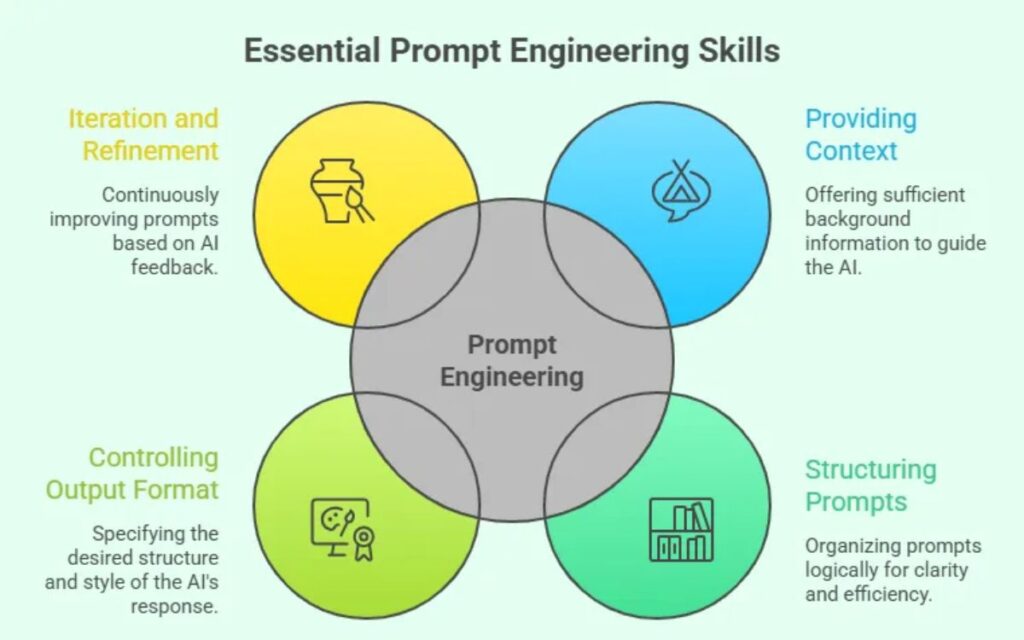
Well-written prompts help ChatGPT:
- Understand your goal more clearly
- Match the tone you want
- Organize information effectively
- Include relevant examples
- Avoid unnecessary details
- Produce more accurate results
In most cases, better prompts lead directly to better answers.
How to Write Your First Effective ChatGPT Prompt
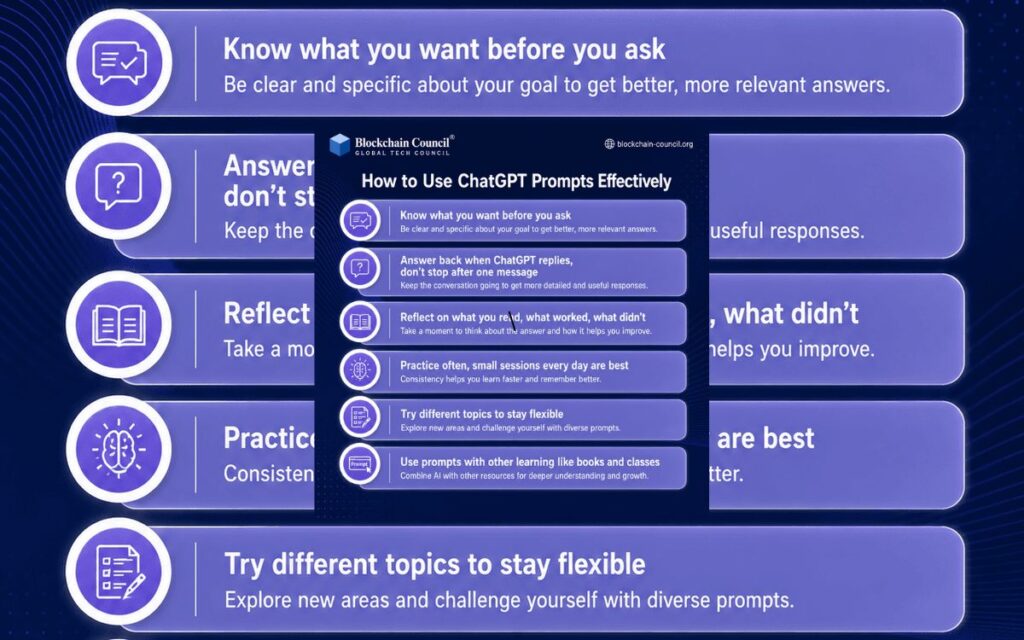
Creating an effective prompt is easier than many beginners think. The key is providing enough information for ChatGPT to understand exactly what you need.
Start With a Clear Goal
Before typing your prompt, take a moment to identify your objective.
Ask yourself:
- What information am I looking for?
- What result do I want?
- Who is the intended audience?
For example, instead of asking:
Tell me about social media.
You could ask:
Explain how small businesses can use social media marketing to attract local customers.
The second prompt gives ChatGPT a much clearer direction.
Add Useful Context
Context helps the AI understand your specific situation.
For example:
Basic Prompt:
Help me write a cover letter.
Improved Prompt:
I am applying for an entry-level digital marketing position. Help me write a professional cover letter that highlights my internship experience and communication skills.
The extra information allows ChatGPT to generate a more personalized response.
Specify the Format
Another simple way to improve results is by telling ChatGPT how you want the information presented.
You can request:
- Bullet points
- Numbered steps
- Tables
- Checklists
- Short summaries
- Detailed guides
Formatting instructions make the output easier to read and use.
Choose the Right Tone
The tone of the response is just as important as the content itself.
Depending on your needs, you can request a tone that is:
- Professional
- Friendly
- Conversational
- Formal
- Educational
- Persuasive
For example:
Write a friendly welcome email for new newsletter subscribers.
This instruction helps ChatGPT produce content that matches your expectations.
Common Mistakes Beginners Make When Using ChatGPT

Many people don’t get the results they want because of a few common prompting mistakes.
Being Too General
Short and vague prompts often lead to generic responses.
For example:
Give me business ideas.
A better alternative would be:
Suggest 10 low-cost online business ideas for college students with limited startup funds.
The more specific your request, the more focused the answer becomes.
Assuming ChatGPT Knows Your Situation
ChatGPT does not automatically know your experience level, goals, preferences, or background.
Whenever possible, provide relevant details so the AI can tailor its response more effectively.
Combining Too Many Tasks
Some users try to complete multiple unrelated tasks in a single prompt.
For example:
Write a business plan, create a marketing strategy, design a logo concept, and suggest social media content.
Large requests like this often reduce response quality. Breaking complex projects into smaller conversations usually works better.
Not Refining the Response
One of ChatGPT’s greatest strengths is its ability to continue the conversation.
You can ask it to:
- Simplify the explanation
- Add examples
- Expand a section
- Rewrite for beginners
- Make the content shorter
The best results often come after a few follow-up prompts.
Skipping Fact Verification
Although ChatGPT is highly useful, it is not perfect. Important information should always be verified independently.
This is especially true for:
- Statistics
- Medical information
- Financial advice
- Legal guidance
- Dates and factual claims
Using ChatGPT alongside reliable sources leads to better decision-making.
Simple Prompt Frameworks That Work Well
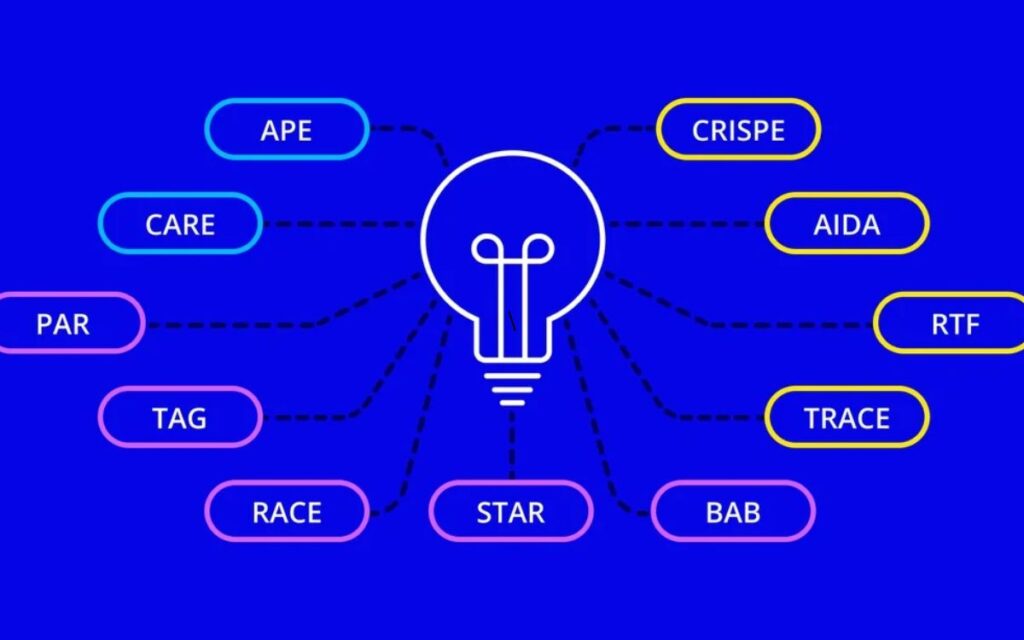
Many experienced users rely on simple prompt structures to get consistent results.
Role + Task + Format
This framework is beginner-friendly and highly effective.
Example:
Act as a career coach. Help me prepare for my first job interview. Present the advice as a step-by-step checklist.
This tells ChatGPT exactly how to approach the task.
Context + Request + Constraints
Example:
I own a small online store. Write a product description for handmade candles. Keep it under 150 words and use a friendly tone.
This framework works particularly well for content creation and business-related tasks.
Step-by-Step Learning Prompt
Example:
Explain search engine optimization step by step as if I have never heard of SEO before.
This approach is excellent for learning new topics without feeling overwhelmed.
Example-Based Prompting
Providing examples can significantly improve response quality.
Example:
Here is a LinkedIn post style I like. Create a similar post about remote work productivity.
Examples help ChatGPT understand your preferred style and format.
Question-First Prompting
Sometimes ChatGPT can provide better recommendations if it gathers information first.
Example:
I want help choosing a business idea. Ask me five questions before making recommendations.
This method often produces more personalized and relevant results.
Best ChatGPT Prompts for Learning New Skills Faster
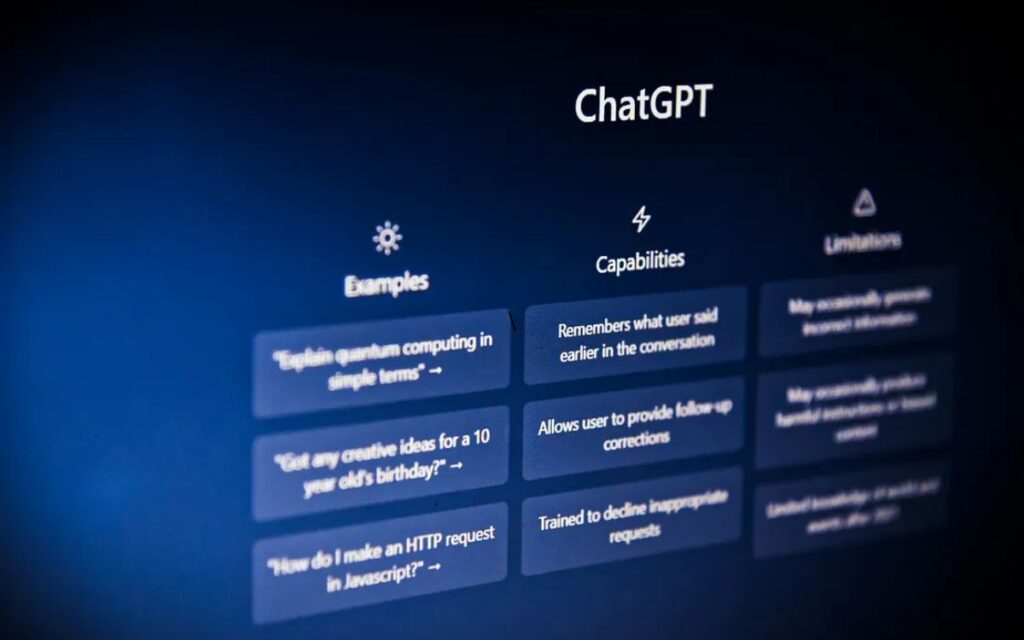
One of the most useful features of ChatGPT is its ability to support learning. Whether you want to improve your writing, learn programming, understand marketing, study finance, or even pick up a new language, the right prompt can turn ChatGPT into a helpful learning companion.
Use ChatGPT as a Personal Tutor
Rather than asking broad questions, provide clear learning instructions.
For example:
“Teach me digital marketing from scratch. Create a seven-day learning plan that includes lessons, examples, and practical exercises.”
This approach creates a structured learning experience instead of a one-time explanation.
Learn Through Practical Examples
Most people understand concepts more quickly when they are connected to real-life situations.
Example:
“Explain compound interest using a simple example of monthly savings.”
Practical examples make complex topics easier to understand and remember.
Ask for Practice Exercises
Learning becomes more effective when you actively apply what you learn.
For example:
“Give me five beginner Excel exercises and review my answers after I complete them.”
This creates an interactive learning process rather than passive reading.
Break Large Topics Into Small Lessons
Complex subjects can feel overwhelming when presented all at once.
Instead, try prompts such as:
“Teach me artificial intelligence in five simple lessons starting from the basics.”
Breaking information into smaller sections makes learning more manageable and less intimidating.
Using ChatGPT for Everyday Productivity

ChatGPT is not only useful for learning. It can also help simplify everyday tasks and improve productivity.
Organizing Your Schedule
Managing multiple responsibilities can be challenging.
Example:
“Here is my task list for today. Create a realistic schedule based on priority and available time.”
ChatGPT can help organize your day and improve time management.
Meal Planning and Grocery Lists
Planning meals often takes more time than people expect.
Example:
“Create a healthy five-day meal plan for a family of four and generate a complete shopping list.”
This can save both time and effort throughout the week.
Budget Planning
While ChatGPT should never replace professional financial advice, it can explain budgeting concepts in simple language.
Example:
“Help me create a monthly budget using the 50/30/20 budgeting method.”
Simple explanations often make financial planning easier for beginners.
Travel Planning
Researching destinations, attractions, and transportation options can be time-consuming.
Example:
“Create a four-day Dubai travel itinerary for a moderate budget, including attractions, dining suggestions, and transportation tips.”
This provides a useful starting point for trip planning.
Additional Productivity Uses
ChatGPT can also help with:
- Goal setting
- Project planning
- Study schedules
- Habit tracking
- Meeting summaries
- Task prioritization
These everyday applications make it a valuable productivity tool.
ChatGPT Prompts for Writing Emails, Messages, and Content
Writing assistance remains one of the most popular reasons people use ChatGPT.
Professional Email Writing
Many people find business communication challenging.
Example:
“Write a professional email requesting two days of leave from work. Keep it polite and concise.”
Within seconds, ChatGPT can generate a professional draft that only requires minor adjustments.
Personal Messages
Finding the right words for personal communication is not always easy.
Example:
“Write a heartfelt birthday message for my best friend that feels genuine and warm.”
This can help create thoughtful messages for important occasions.
Social Media Content
Business owners and content creators frequently use ChatGPT to generate fresh ideas.
Example:
“Create five Instagram captions for a coffee shop promoting a new seasonal beverage.”
This can quickly spark creativity when inspiration is limited.
Blog Content Support
ChatGPT can assist with:
- Blog outlines
- Article introductions
- Meta descriptions
- FAQ sections
- Topic ideas
For example:
“Create a blog outline about fitness tips for beginners.”
This helps speed up the content creation process.
Improving Existing Writing
ChatGPT is also useful for editing and refinement.
Example:
“Rewrite this paragraph to make it more engaging, professional, and easier to read.”
This feature can significantly improve content quality.
How to Get More Accurate Answers from ChatGPT
Many users think ChatGPT gives poor responses when the real issue is often a lack of clear instructions.
Be Specific
Specific requests almost always produce better answers.
Instead of:
“Tell me about SEO.”
Try:
“Explain SEO to a beginner and include the most important ranking factors in 2026.”
The additional detail gives ChatGPT a much clearer objective.
Provide Context
Context helps ChatGPT personalize its response.
Example:
“I run a small online clothing store and need beginner-friendly SEO advice.”
Now the AI understands your situation and can offer more relevant suggestions.
Ask Follow-Up Questions
Great results often come through conversation rather than a single prompt.
Useful follow-up requests include:
- Explain this more simply.
- Give me an example.
- Expand on point three.
- Rewrite this for beginners.
Each follow-up helps refine the response further.
Define the Desired Outcome
Example:
“Compare WordPress and Shopify for a beginner launching an online business and recommend the better option.”
When ChatGPT understands the end goal, its answers become more focused and useful.
Request a Specific Format
You can ask for:
- Checklists
- Bullet points
- Tables
- Step-by-step guides
Structured information is often easier to understand and implement.
Easy Advanced Prompting Techniques for Beginners
Once you understand the basics, a few advanced techniques can improve results even more.
Role-Based Prompting
Assigning a role changes how ChatGPT approaches the task.
Example:
“Act as an experienced SEO consultant and help me improve my blog article.”
This often leads to deeper and more specialized responses.
Example-Based Prompting
Providing examples helps ChatGPT understand your expectations.
Example:
“Here is a product description style I like. Write a similar description for a wireless keyboard.”
Examples improve consistency and accuracy.
Step-by-Step Prompting
Example:
“Explain how to start a blog step by step for someone with no technical experience.”
This method is especially useful for learning and problem-solving.
Iterative Prompting
Professional users rarely expect a perfect answer immediately.
Instead, they refine responses by asking for changes such as:
- Make it shorter.
- Add examples.
- Improve readability.
- Simplify the language.
This process often produces the best results.
Constraint-Based Prompting
Adding limitations can improve precision.
Example:
“Write a product description under 100 words using a friendly tone and include a call to action.”
Constraints help ChatGPT focus on exactly what you need.
Conclusion
Learning how to write effective ChatGPT prompts can dramatically improve your experience with AI. While ChatGPT is a powerful tool, the quality of its responses depends heavily on the instructions it receives.
Fortunately, you do not need advanced technical skills to create effective prompts. By providing clear objectives, useful context, formatting instructions, and specific requirements, you can consistently receive more relevant and accurate answers.
As you continue using ChatGPT, you will naturally discover prompt styles that work best for your goals. Whether you are learning a new skill, creating content, managing daily tasks, or solving complex problems, strong prompting skills will help you get better results.
Start with simple prompts, experiment with different approaches, and continue refining your conversations. Over time, writing effective prompts will become second nature, allowing you to use ChatGPT more confidently and productively.
Frequently Asked Questions
What are ChatGPT prompts?
ChatGPT prompts are instructions or questions used to guide AI responses.
Why are prompts important for beginners?
Good prompts help beginners get more accurate and useful answers.
What makes a ChatGPT prompt effective?
A clear and specific prompt usually produces better results.
Can beginners use ChatGPT for content writing?
Yes, ChatGPT can help create articles, blogs, and social media content.
Are ChatGPT prompts free to use?
Yes, most prompts can be used without any additional cost.
How can I improve my ChatGPT prompts?
Add clear details, goals, and context to your prompt.
Can ChatGPT help with studying?
Yes, it can explain topics, answer questions, and create study guides.
What are the best ChatGPT prompts for beginners?
The best prompts are simple, specific, and focused on one task.
Can ChatGPT generate business ideas?
Yes, it can suggest business concepts and startup ideas.
Do I need technical skills to use ChatGPT prompts?
No, beginners can use ChatGPT effectively without technical knowledge.